
Finding the right keywords is one of the most important steps in building a successful blog. You can publish detailed articles, design an attractive website, and follow SEO best practices, but your content may still struggle to attract organic traffic if it does not address what people are searching for.
The good news is that you do not need an expensive SEO subscription to start discovering useful keyword opportunities. Several free keyword research tools can help you understand search demand, discover related queries, analyze existing website performance, and identify topics worth covering.
The challenge is knowing which tools to use, what their data actually means, and how to turn keyword suggestions into a practical content strategy.
In this guide, you will discover the best free keyword research tools, understand their strengths and limitations, and learn a step-by-step process for finding relevant keywords for your blog. You will also learn how to assess search intent, evaluate competition, organize keyword ideas, and prioritize topics that fit your website.
Whether you are starting a new blog or trying to improve the organic traffic of an established website, this guide will help you build a keyword research workflow without depending entirely on paid SEO software.
Best Free Keyword Research Tools at a Glance
The best keyword research tool depends on your objective. Some tools help you discover new keyword ideas, while others reveal how your existing content performs in search results.
Here is a quick comparison of ten useful options.
| Tool | Best for | Main limitation |
|---|---|---|
| Google Search Console | Discovering queries that already generate impressions and clicks | Requires access to a verified website property |
| Google Keyword Planner | Finding keyword ideas and estimated search demand | Designed primarily for Google Ads research; access requires Google Ads account setup |
| Google Trends | Comparing interest over time and identifying seasonal patterns | Shows normalized interest rather than absolute search volume |
| Google Autocomplete | Discovering search suggestions and query variations | Does not provide dependable search-volume or difficulty figures |
| Google Related Searches | Finding related topics and alternative query formulations | Does not provide comprehensive keyword metrics |
| Ahrefs Free Keyword Generator | Generating keyword ideas and question-based queries | Free keyword research data is more limited than its paid offerings |
| Semrush Keyword Magic Tool | Exploring keyword variations and related terms | Access and report limits depend on the current plan |
| AnswerThePublic | Discovering questions and conversational search ideas | The free plan has usage and data-access limits |
| Keyword Tool | Generating keyword suggestions from search platforms | Detailed metrics and bulk functionality may require a paid plan |
| AlsoAsked | Exploring question relationships and related user questions | Access to results and research volume may be limited by its current offering |
Which tool should you start with?
If your website already receives organic impressions, start with Google Search Console. If you are researching a completely new topic, combine Google Autocomplete with Google Keyword Planner and Google Trends. For question-based content, try AnswerThePublic or AlsoAsked.
You do not need to use every tool. A small combination that provides complementary information is usually more useful than switching between ten dashboards without a clear research objective.
1. Google Search Console
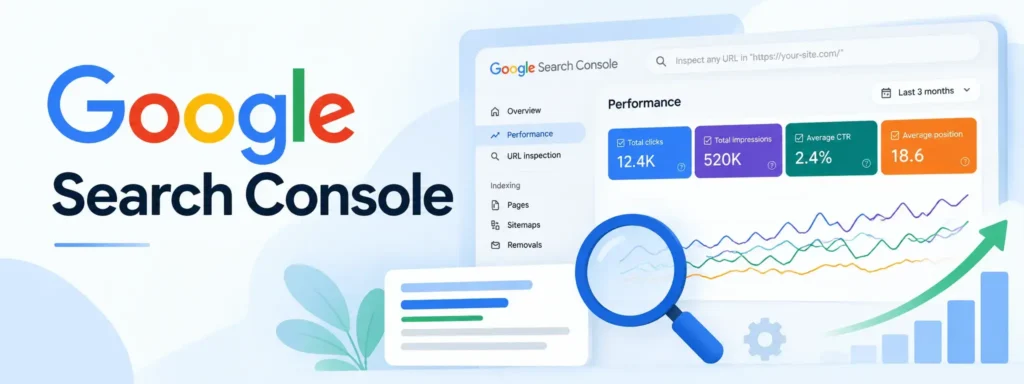
Google Search Console is one of the most useful free SEO resources for bloggers because it shows how their websites perform in Google Search.
Unlike keyword suggestion tools that help you discover potential opportunities, Search Console provides information about queries for which your website has already appeared in search results.
🌐 Official website: https://search.google.com/search-console
What can you do with Google Search Console?
The Performance report provides information about clicks, impressions, click-through rate (CTR), and average position. You can examine the queries that bring users to your website and identify pages that may deserve further optimization.
For example, suppose you have published an article about starting a WordPress blog. Search Console might show that the page receives impressions for queries such as:
- How to start a WordPress blog
- WordPress blog setup for beginners
- How to create a blog website
- Starting a blog with WordPress
These examples illustrate the kinds of related queries you might investigate. They are not actual search data from your website.
The report can reveal opportunities that were not part of your original keyword plan.
How to use Google Search Console for keyword research
- Open Google Search Console and select your website property.
- Navigate to Performance → Search results.
- Select a suitable date range, such as the last three months.
- Open the Queries tab to see the search terms associated with your site’s performance.
- Filter by a specific page when researching an individual article.
- Review impressions, clicks, CTR, and average position together.
- Export the data and group relevant queries into potential content improvements.
Look for queries that are closely related to the page but are not adequately addressed in the current content. You can also investigate pages that receive impressions but relatively few clicks.
However, do not assume that every query with a low CTR needs a new title. Search intent, ranking position, search result features, and the type of query all influence click behavior.
When should bloggers use Google Search Console?
Use it to identify existing keyword opportunities, monitor rankings, find relevant queries that your content may be missing, and evaluate whether changes to an article are associated with better search performance.
It is especially valuable for established blogs because the research begins with your website’s actual search visibility.
2. Google Keyword Planner

Google Keyword Planner is a keyword research tool available through Google Ads. It helps users discover related keywords, examine estimated search demand, and explore advertising-related metrics.
🌐 Official website: https://ads.google.com/home/tools/keyword-planner/
Key features
Keyword Planner can suggest search terms based on a phrase, a group of keywords, or a website. It also provides estimated monthly search information and advertising metrics.
For example, if you enter a seed phrase such as “keyword research,” you can investigate related ideas such as keyword research for beginners, keyword analysis, SEO keyword tools, and keyword planning.
The actual suggestions and metrics will depend on your input, targeting settings, and the data available.
How to use Google Keyword Planner
- Sign in to your Google Ads account and open Keyword Planner.
- Choose Discover new keywords.
- Enter a seed keyword or a relevant website.
- Select the country and language appropriate for your intended audience.
- Review the suggested keyword ideas.
- Compare estimated search demand and other available metrics.
- Export relevant ideas for further analysis.
Google requires users to complete the relevant account setup, including billing information, to access basic Keyword Planner features. Check the current account requirements before relying on it as a completely setup-free tool.
Limitations of Google Keyword Planner
Keyword Planner is primarily designed for advertising research. Its search estimates are not identical to the number of clicks an organic result will receive.
The competition metric in Keyword Planner refers to advertiser competition, not necessarily the difficulty of ranking organically in Google Search.
Similarly, suggested advertising bids should not be treated as a direct measurement of organic keyword value.
Use Keyword Planner to discover topics and estimate demand, then examine the actual search results before deciding whether a keyword is realistic for your website.
3. Google Trends

Google Trends helps you compare the relative popularity of search terms over time. It is particularly useful for understanding seasonality, changing interests, and regional differences.
🌐 Official website: https://trends.google.com/trends/
Why is Google Trends useful for keyword research?
Two keywords can be relevant to the same audience but follow different demand patterns.
For example, a seasonal topic may attract significant attention during a particular period and relatively little interest during the rest of the year. A stable evergreen topic may receive more consistent attention over time.
Google Trends helps you investigate these patterns before deciding when to publish or update an article.
How to use Google Trends
- Open Google Trends and enter your primary keyword.
- Select the target country or region.
- Choose a relevant time range.
- Compare related search terms or topics.
- Examine the Interest over time graph.
- Review regional interest and related queries where available.
- Use the findings to refine your keyword list and publishing priorities.
For a blog targeting readers in India, you might compare several related blogging or SEO terms with India selected as the region.
Understanding the data correctly
Google Trends normalizes its data and displays relative search interest on a scale from 0 to 100. A value of 100 represents the peak relative popularity within the selected comparison and time range, not 100 searches.
A term with a score of 80 does not necessarily receive twice as many searches as a term with a score of 40 in another chart.
Google Trends is therefore best used for comparisons and trend analysis, not as a replacement for absolute search-volume estimates.
4. Google Autocomplete
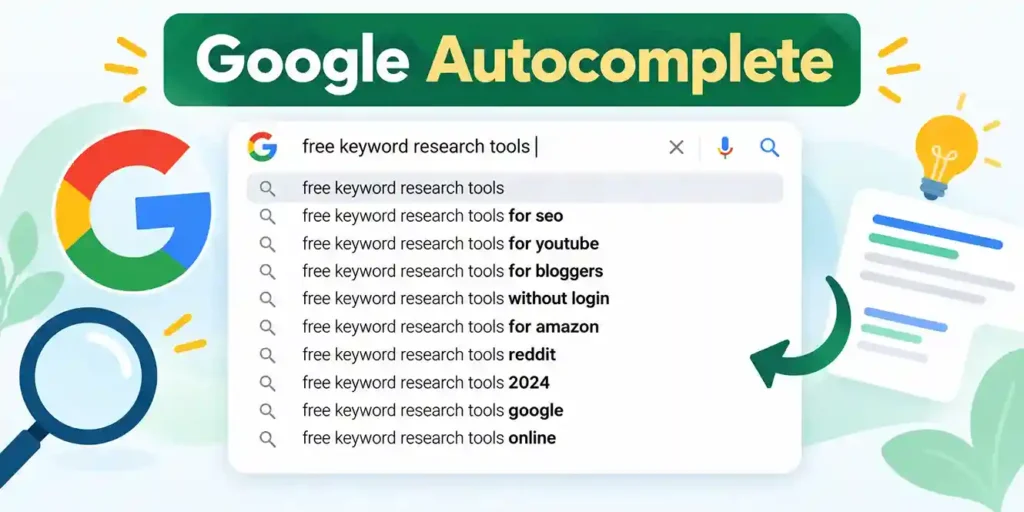
Google Autocomplete displays suggested searches as users enter text into the search box. These suggestions can help you discover different ways people formulate queries.
It is one of the simplest free keyword research methods because you can use it directly in Google Search without subscribing to an SEO platform.
How to find keyword ideas using Autocomplete
Begin with a broad topic related to your blog.
For example, enter “keyword research for” and observe the suggestions Google provides. You can also try variations such as:
- Keyword research for beginners
- Keyword research for a new website
- Keyword research using Google
- Keyword research without paid tools
The phrases above are example search prompts, not claims about the current suggestions Google displays.
You can explore question-based variations by entering terms such as “how to,” “what is,” “why,” and “best way to.”
Record suggestions that are relevant to your audience, then investigate their search intent and usefulness.
How to make Autocomplete research more effective
Use several seed phrases rather than relying on one search. Explore variations that reflect different stages of the user’s journey, such as learning a concept, comparing tools, solving a problem, or choosing a solution.
You can also use the suggestions to expand a keyword list generated by another tool.
Remember that Autocomplete suggestions are not a complete keyword database. Their appearance does not prove a particular search volume, low competition, or ranking opportunity.
5. Google Related Searches

Google Related Searches can reveal alternative phrases and closely related topics associated with a search query.
After searching for a topic, examine the related searches shown on the results page, where available. These suggestions can help you discover additional angles that may be useful for an article or a broader content cluster.
For example, a search about keyword research may lead you to explore topics involving long-tail keywords, search intent, keyword planning, and keyword analysis.
How to use related searches
- Search for your main keyword in Google.
- Review the related searches displayed on the results page.
- Record phrases that fit your topic and audience.
- Search those phrases individually to understand their intent.
- Group related queries that can be answered naturally within one article.
- Create a separate page only when the new query requires a substantially different answer.
Related searches should be treated as discovery signals, not a ready-made content calendar. Some suggestions may be too broad, repetitive, or irrelevant to your website.
6. Ahrefs Free Keyword Generator

Ahrefs provides free SEO tools, including a Keyword Generator that can help you discover keyword ideas without immediately purchasing a subscription.
🌐 Official website: https://ahrefs.com/keyword-generator
What can you use it for?
The tool can help you explore keyword variations and question-based searches associated with a seed topic. Depending on the selected search engine and available report, it may also display metrics intended to help users assess keyword opportunities.
For example, a blogger researching “WordPress SEO” could investigate related phrases involving plugins, optimization, technical SEO, and beginner tutorials.
Treat the output as a starting point for research rather than a final list of keywords to target.
Advantages
- Helps generate related keyword ideas.
- Can support early-stage topic exploration.
- Offers a way to investigate keyword opportunities without purchasing a full SEO suite.
- Can complement Google’s own research tools.
Limitations
The free keyword research experience does not provide the full depth of data and functionality available through paid Ahrefs products. Available metrics, report depth, and access conditions should be checked on the official website.
Do not assume that a free report will include every metric, every suggestion, or unrestricted research volume.
Who should use Ahrefs Free Keyword Generator?
It is useful for bloggers who need additional keyword ideas after brainstorming with Google Autocomplete or Keyword Planner.
For competitive analysis and a more complete view of organic keyword data, you may need additional tools or a paid subscription.
7. Semrush Keyword Magic Tool
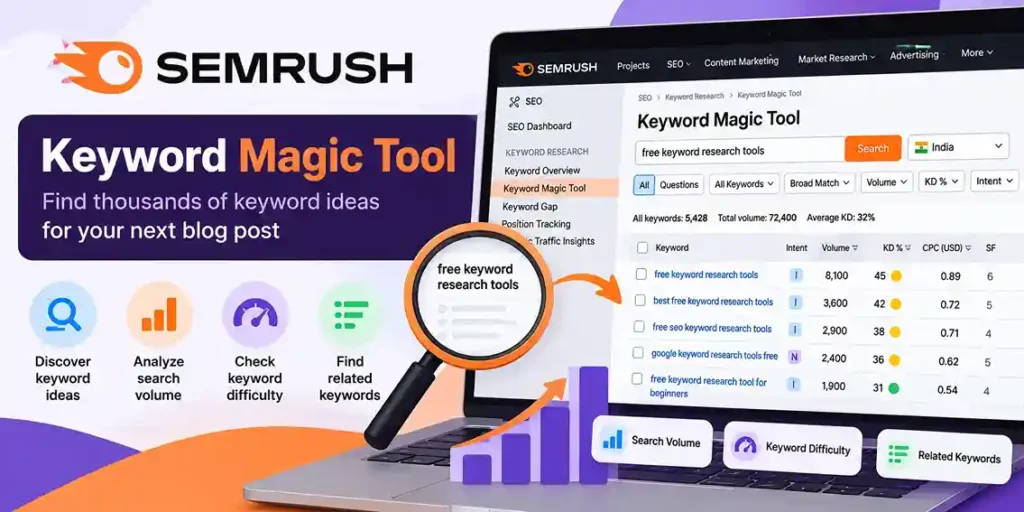
Semrush is an SEO platform with keyword research, competitor analysis, and site optimization features. Its Keyword Magic Tool is designed to help users explore large collections of related keyword ideas.
🌐 Official website: https://www.semrush.com/analytics/keywordmagic/
How it helps with keyword discovery
Keyword Magic Tool organizes suggestions around a seed keyword and can help you explore variations, questions, and narrower topic groups.
Suppose your seed keyword is “blog SEO.” Your research may extend to topics such as on-page SEO, SEO audits, internal linking, content optimization, and technical SEO.
These topics should not automatically become separate articles. Review their intent and determine whether they need distinct pages or belong within an existing comprehensive guide.
How to use the tool
- Open Keyword Magic Tool.
- Enter your seed keyword.
- Select the appropriate target database or location.
- Review the keyword suggestions and available metrics.
- Use available filters to narrow the results.
- Export or record promising terms if your access permits it.
- Verify the most promising keywords against the actual search results.
Free access and limitations
Semrush offers different tools and access levels, and free usage can be limited by account status, report allowances, or subscription plan.
Before publishing a statement about a specific free limit, verify the current terms directly with Semrush.
The tool can be valuable for expanding a keyword list, but you do not need a paid subscription to begin learning keyword research. Google Search Console, Autocomplete, Trends, and other accessible resources can already support a useful workflow.
8. AnswerThePublic
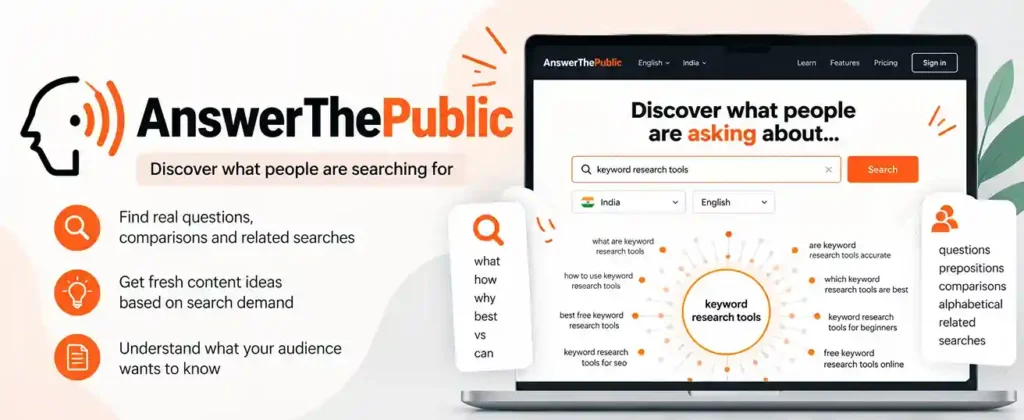
AnswerThePublic focuses on discovering questions, comparisons, and other search phrases related to a topic.
🌐 Official website: https://answerthepublic.com/
It can be especially useful when you want to understand how people phrase their questions rather than simply collect a list of broad keywords.
How to use AnswerThePublic
Enter a seed keyword associated with your niche, such as “blogging,” “keyword research,” or “WordPress SEO.”
Review the available question-based suggestions and identify those that address real problems faced by your target readers.
For example, a keyword research topic might lead you to investigate questions such as:
- How do beginners find keywords?
- Which free keyword research tools are useful?
- How should keyword difficulty be evaluated?
- How can keywords be grouped into article topics?
These are illustrative questions, not a representation of a specific live report.
How bloggers can use the results
Use question-based ideas to improve explanations, add relevant FAQ sections, discover tutorial topics, and identify gaps in existing articles.
However, do not create a separate article for every question. Several related questions may be answered more effectively in one well-organized guide.
Is AnswerThePublic free?
AnswerThePublic offers a free plan with limited usage. Its published help documentation currently describes three searches per day, with some data and functionality restricted. Confirm the latest terms before relying on that allowance.
The tool is useful for discovering content angles, but its suggestions still need to be validated against your audience, search intent, and the actual search results.
9. Keyword Tool

Keyword Tool is designed to generate keyword suggestions from search platforms and can help expand a list beyond your initial seed terms.
🌐 Official website: https://keywordtool.io/
How it works
Enter a topic or phrase, select a supported platform, and review the generated suggestions.
Depending on the platform and available features, you can explore keyword variations for different kinds of content, including web searches and video-oriented searches.
This can be useful when your website covers several content formats or when your audience uses different platforms to discover information.
Practical uses
A website publishing WordPress tutorials, for example, might use keyword suggestions to identify related questions about setup, plugins, themes, troubleshooting, and optimization.
The next step is to decide which of those ideas fit your site’s content strategy and whether each deserves a dedicated article.
Limitations
The availability of detailed search-volume data, competition metrics, and export functionality may depend on the plan.
Use the free experience to explore ideas, then validate important terms with other sources before deciding which keywords deserve the most attention.
10. AlsoAsked
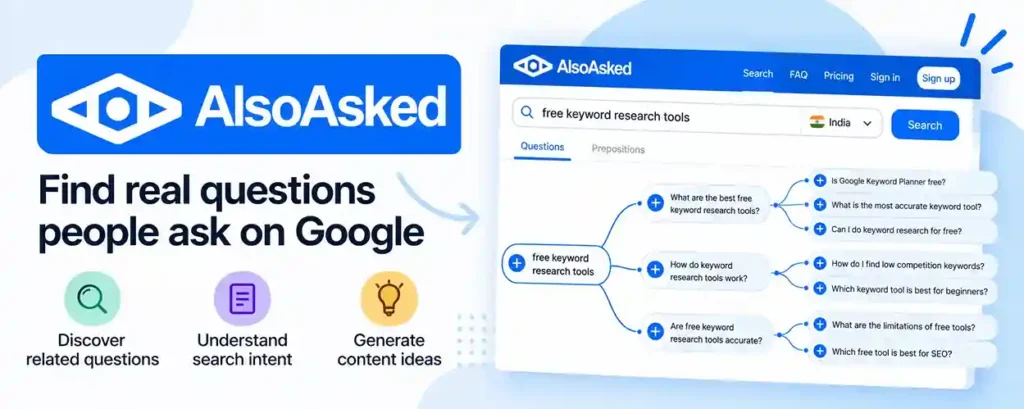
AlsoAsked helps users explore questions associated with a topic and relationships between related questions.
🌐 Official website: https://alsoasked.com/
It can support research into how one question leads to another, helping you organize content around the problems your audience wants to solve.
How to use AlsoAsked
- Enter a relevant seed query.
- Select the target region or language when available.
- Examine the related questions and their relationships.
- Identify questions that belong to the same subject.
- Use the findings to plan headings, supporting sections, or separate articles.
For instance, a guide about starting a blog might cover choosing a platform, setting up hosting, publishing the first article, and understanding basic SEO.
The aim is to discover a useful sequence of reader questions, not to insert every suggested phrase into a single article.
Free access and limitations
Available search allowances, exports, and account features can change. Check the current official pricing and access information before relying on a particular free allowance.
AlsoAsked works best as a complementary question-discovery tool. It does not replace search-volume research, competitor analysis, or the need to assess whether a topic fits your website.
Not every keyword research tool solves the same problem. Some help you discover new search queries, others estimate demand, and some reveal how people already find your website.
To choose the right tool, compare what it can actually help you accomplish rather than relying on a feature list alone.
Practical comparison of free keyword research tools
| Tool | Keyword discovery | Search volume data | Search intent research | Existing website data | Best use |
|---|---|---|---|---|---|
| Google Search Console | Limited to queries associated with your site | No conventional keyword volume estimates | Helps reveal queries bringing users to your pages | Yes | Improving existing articles |
| Google Keyword Planner | Yes | Estimated search volume, with account-dependent detail | Limited direct intent analysis | No organic site performance data | Discovering ideas and estimating demand |
| Google Trends | Related and rising queries, where available | Relative interest, not absolute volume | Helps reveal seasonal or regional patterns | No | Comparing trends and seasonality |
| Google Autocomplete | Yes | No | Suggests possible query formulations | No | Generating initial keyword ideas |
| Ahrefs Free Keyword Generator | Yes | Limited metrics, depending on the report | Some clues from keyword wording | No | Expanding a seed keyword list |
| Semrush Keyword Magic Tool | Yes | Available metrics depend on access | Filters and query patterns can help | Not in the same way as Search Console | Exploring keyword variations |
| AnswerThePublic | Question and phrase discovery | Not its primary strength | Strong focus on questions and related concerns | No | Planning FAQs and educational content |
| Keyword Tool | Yes | Detailed metrics depend on the plan | Can reveal question and phrase variations | No | Expanding keyword suggestions |
| AlsoAsked | Related questions and question relationships | Not its primary strength | Useful for understanding related questions | No | Organizing content around user questions |
Note: This table compares the tools’ general purposes, not results from a controlled benchmark. Free access, available metrics, and report limits can change. Verify the current terms before choosing a tool.
Which free keyword research tool should you choose?
Choose Google Search Console if your website already receives search impressions. It can reveal queries that your pages already appear for and help you identify opportunities to improve existing content.
Choose Google Keyword Planner if you need keyword ideas and estimated search demand. It is useful for comparing potential topics, but its advertising competition metric is not a measure of organic SEO difficulty.
Choose Google Trends if you need to compare changing interest. It is particularly helpful when deciding whether a topic is seasonal, growing, or losing popularity.
Choose Google Autocomplete if you are starting from scratch. It provides a quick way to collect phrase variations before using more detailed research methods.
Choose Ahrefs or Semrush if you need more structured keyword suggestions. Their free access can help with initial discovery, but the amount of data available depends on the tool and plan.
Choose AnswerThePublic or AlsoAsked if you need question-based content ideas. These tools can help you identify questions that may deserve their own sections or articles.
For most beginner bloggers, a combination of Google Autocomplete, Google Trends, Keyword Planner, and Search Console (when available) is a practical starting point. Add a dedicated keyword suggestion tool only when it solves a specific research problem.
A Hands-On Keyword Research Example
Let’s walk through a realistic keyword research exercise for a website publishing blogging and SEO tutorials.
The objective is to find a suitable topic, understand its search intent, and decide what kind of article to publish.
The seed keyword for this example is “keyword research for a new blog.”
The following exercise illustrates the process. The keyword phrases are sample research candidates, not verified live suggestions, search volumes, difficulty scores, or rankings.
Step 1: Generate keyword ideas
Start by entering your seed phrase into Google Autocomplete, Keyword Planner, and a keyword suggestion tool.
Create a working list of related ideas such as:
| Keyword candidate | Research question |
|---|---|
| Free keyword research tools | Which tools can I use without paying? |
| How to find keywords for a blog | What steps should I follow? |
| Keyword research for beginners | Where should a beginner start? |
| Google Keyword Planner tutorial | How do I use this particular tool? |
| How to find low-competition keywords | How can I evaluate ranking opportunities? |
At this stage, do not assume that all five phrases should become separate articles.
Step 2: Compare search intent
The next step is to determine whether each phrase represents a distinct user need.
| Keyword candidate | Likely intent | Potential content format |
|---|---|---|
| Free keyword research tools | Tool discovery and comparison | Tool comparison guide |
| How to find keywords for a blog | Step-by-step learning | Practical tutorial |
| Keyword research for beginners | Foundational learning | Beginner’s guide |
| Google Keyword Planner tutorial | Learning a specific tool | Tool-specific tutorial |
| How to find low-competition keywords | Solving a specific research problem | Focused tutorial |
These intent classifications are initial hypotheses. Review the current Google results for each phrase before deciding on the final format.
Step 3: Compare the actual search results
Search for each promising phrase and examine the pages that appear.
Record the types of results, the questions they answer, their freshness, and any meaningful gaps.
For example, if the results for a tool-related query predominantly feature comparison guides, a practical comparison article is likely a more suitable starting point than a general explanation of SEO.
If a different query produces step-by-step tutorials, your article should explain the process rather than simply listing tools.
Do not declare a keyword low-competition because the first few results look weak. Consider how closely they match the query, the usefulness of their content, and whether your website can offer a better answer.
Step 4: Use available data to assess demand
Open Google Keyword Planner and investigate the search-demand estimates for the relevant candidates. Record the target country, language, date of research, and source of the figures.
If your website already receives search traffic, examine Google Search Console for related queries. Use Google Trends when comparing relative interest or seasonal behavior.
These tools answer different questions. Search volume estimates, relative interest, and your site’s impressions should not be treated as interchangeable metrics.
Step 5: Make the publishing decision
After evaluating relevance, intent, demand, and competing pages, assign a priority to each topic.
| Topic | Example priority | Reasoning |
|---|---|---|
| Free keyword research tools | High, if the comparison offers clear value | Provides a focused tool-selection resource |
| How to find keywords for a blog | High, if a practical tutorial is missing | Addresses the broader research process |
| Google Keyword Planner tutorial | Medium, pending SERP analysis | Requires a distinct tool-specific explanation |
| Keyword research for beginners | Review existing content first | May overlap with the broader tutorial |
| Low-competition keyword research | High if there is a genuine content gap | Addresses a specific problem for new websites |
These priority labels are illustrative, not measured recommendations based on actual keyword data. The final decision should reflect your website’s existing articles and the search results.
The result of this exercise should be a focused content plan, not merely a spreadsheet containing hundreds of phrases.
How to Compare Keyword Opportunities in a Spreadsheet
Once you have collected keyword ideas, organize them in a spreadsheet so you can compare opportunities consistently.
Use these columns:
| Column | What to enter |
|---|---|
| Keyword | The search phrase |
| Source | The tool that suggested it |
| Search intent | The likely user goal |
| Country | The target market |
| Search volume | The estimate and source, if available |
| Keyword difficulty | The third-party score and tool, if available |
| SERP observations | Notes about the current ranking pages |
| Topical relevance | High, medium, or low |
| Content gap | What your planned article can improve |
| Priority | High, medium, or low |
| Next action | Publish, improve, investigate, or exclude |
A simple opportunity scoring method
You can use a lightweight editorial score to help prioritize topics. This is a planning framework, not a Google ranking formula.
Rate each factor from 1 to 3:
- Relevance: How closely does the topic fit your audience?
- Content opportunity: Can you provide a meaningfully better or more complete answer?
- Realistic competition: Does your review of the current results suggest a plausible opportunity?
- Business value: Does the topic support the site’s goals?
Add the four scores to obtain a total between 4 and 12.
| Total | Suggested interpretation |
|---|---|
| 10–12 | Investigate for high priority |
| 7–9 | Consider after comparing other opportunities |
| 4–6 | Reassess the topic or defer it |
Do not award a high competition score merely because a third-party difficulty metric is low. Base the rating on your actual search-result review, and record the reasons for your decision.
Search volume can be used as an additional consideration, but it should not automatically outweigh relevance or content quality.
Important: Free Tool Data Is Not Directly Comparable
One common mistake is comparing numbers from different keyword research tools as if they measure the same thing.
Google Trends reports normalized relative interest. Keyword Planner supplies advertising-oriented estimates. Third-party SEO platforms use their own datasets and methodologies. Search Console reports the performance of your website in Google Search.
A discrepancy between two tools does not necessarily mean one of them is broken. Their data sources, update schedules, geographic settings, and definitions may differ.
For a more reliable decision:
- Use the same target country and language wherever possible.
- Record which tool produced each metric.
- Compare keywords within the same tool when evaluating its estimates.
- Examine the actual search results before deciding what to publish.
- Treat every third-party difficulty score as an estimate rather than a guarantee.
- Review your own Search Console performance after publication.
The purpose of keyword research is not to find a supposedly perfect number. It is to make a well-informed content decision using several sources of evidence.
Keyword Research Spreadsheet Template
Plan smarter keywords, compare competitors, and prioritize your next blog posts with this ready-to-use Excel workbook.
What’s included?
- Keyword research tracker with source, intent, and metrics
- Automatic priority scoring to organize keyword opportunities
- SERP competitor analysis worksheet
- Instructions, scoring guidelines, and example keywords
Note: Example rows are for demonstration only. Add your own keyword data and verify search metrics before making content decisions.
We’ll use the example topic “free keyword research tools” throughout the article. The screenshots should show actual tool interfaces and real results from your own research, not fabricated metrics or sample data presented as genuine.
You don’t need to share passwords, account access, or private account information. Simply capture the relevant screens and upload the image files here.
1. Google Search Console screenshots
Purpose: Demonstrate how bloggers discover keywords their websites already appear for.
Screenshot A: Search Console performance overview
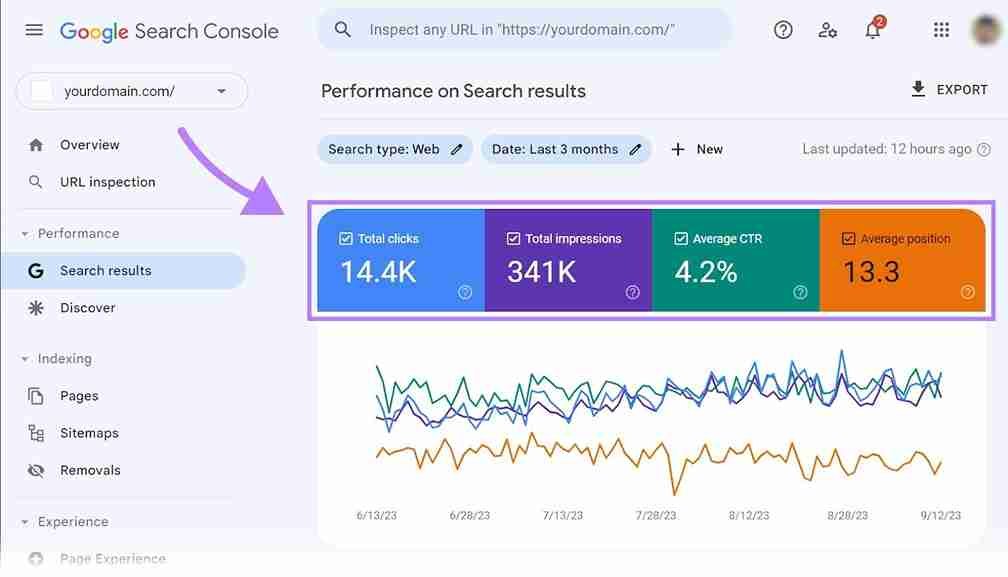
What to capture
The performance chart and metric cards for our BlogEarns article.
- Open Google Search Console and select your BlogEarns property.
- Open Performance → Search results.
- Set the date range to Last 3 months.
- Enable Total clicks, Total impressions, Average CTR, and Average position.
- Click + Add filter → Page and select the exact URL:
Screenshot B: Search Console query table
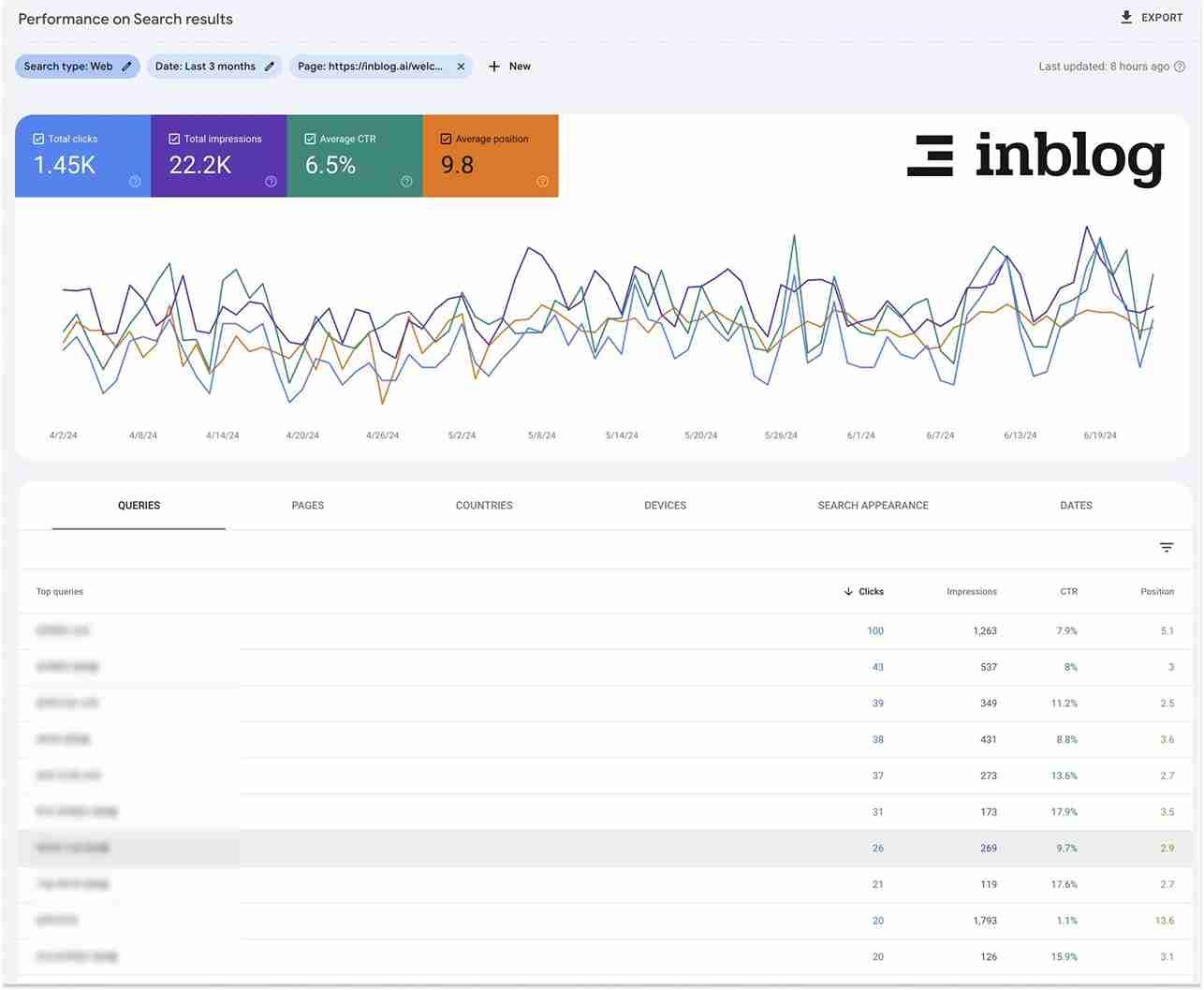
What to capture
The Queries tab showing search phrases associated with the filtered article.
- Keep the same page filter and date range from Screenshot A.
- Scroll to the table below the chart.
- Select the Queries tab.
- Make sure the columns for clicks, impressions, CTR, and position are visible.
- Capture the first several query rows.
2. Google Keyword Planner screenshots
Purpose: Demonstrate how to discover related keywords and review estimated demand.
Screenshot C: Keyword ideas and search estimates
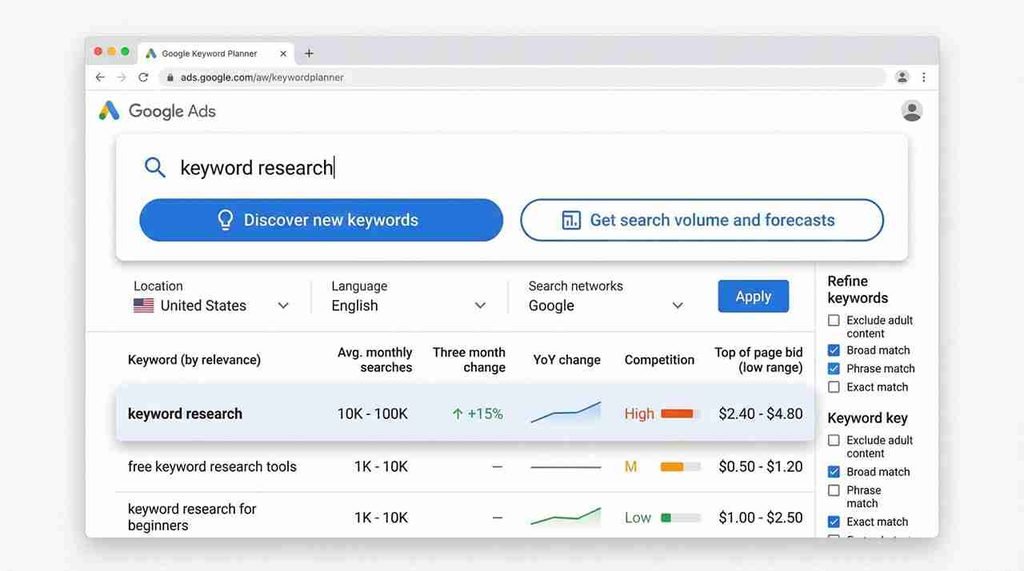
What to capture
The keyword ideas results table, including the search term and available metrics.
- Open Google Keyword Planner.
- Navigate to Tools → Planning → Keyword Planner, then select Discover new keywords.
- Enter
free keyword research tools. - Set the target location to India and the language to English.
- Click Get results.
- Display the keyword ideas table with the following columns where available:
- Keyword
- Average monthly searches
- Three-month change or year-over-year change, if available
- Competition
- Top-of-page bid ranges, if available
- Capture the table and its targeting settings.
Google’s official Keyword Planner guide explains the process. Google Ads Help
Important: The Competition column in Keyword Planner refers to advertising competition, not organic SEO difficulty. We’ll explain this distinction in the article so readers don’t misinterpret the screenshot.
If Keyword Planner asks you to complete account setup or provide billing information, don’t enter anything solely for this article unless you’re comfortable doing so. Tell me if you cannot access the report, and we can adjust the screenshot plan.
3. Google Trends screenshots
Purpose: Demonstrate how to compare keyword interest and investigate trends.
Screenshot D: Compare keyword interest over time
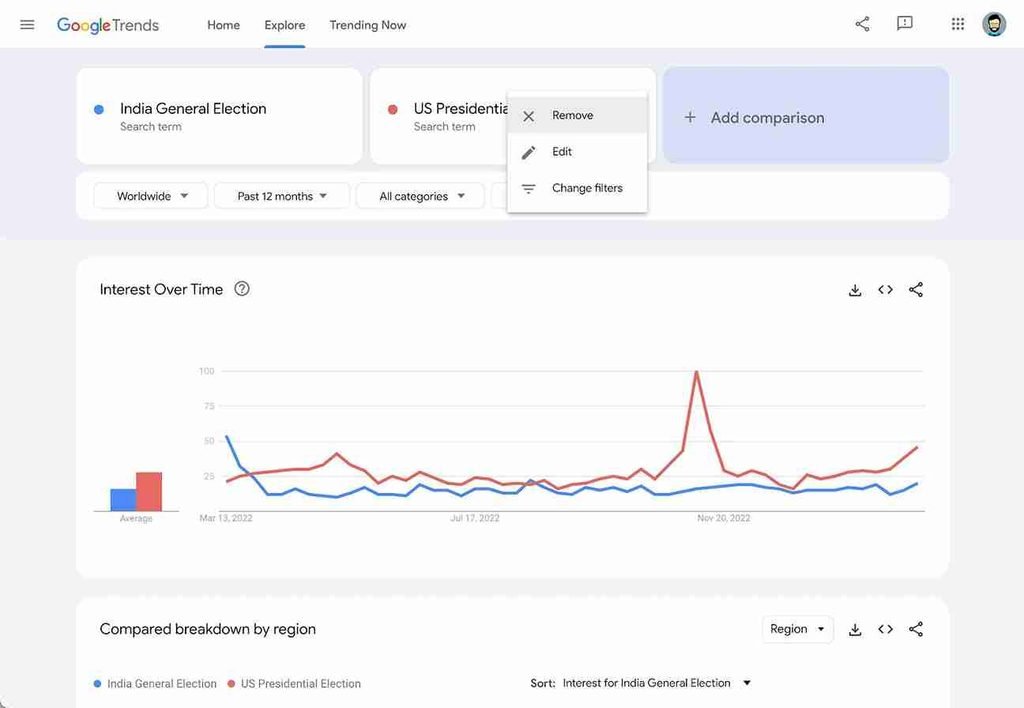
What to capture
The comparison graph with its search terms, location, period, and search type visible.
- Open Google Trends Explore.
- Enter
keyword research. - Add comparison terms such as
SEO toolsandkeyword planner, if Google Trends returns usable data for them. - Select India as the region.
- Choose Past 5 years for the time range.
- Select Web Search as the search type.
- Capture the Interest over time chart with the query labels and settings visible.
These are suggested comparison terms, not a claim that they will produce meaningful or directly comparable results in every configuration.
Google Trends reports normalized interest rather than absolute search volume. Its official comparison guide explains how to compare terms and locations.
How to Do Keyword Research Step by Step
Knowing which tools are available is only the beginning. The real value comes from combining them into a process that helps you select relevant topics and decide what to publish.
The following workflow works for both new and established blogs.
Step 1: Understand your audience and choose seed topics
Start by defining the audience you want to serve and the problems your website can solve.
If you run a blog about WordPress, blogging, and SEO, possible seed topics include:
- Starting a blog
- WordPress website setup
- Keyword research
- Technical SEO
- Content optimization
- Blog monetization
These are broad subject areas rather than final target keywords.
For each topic, list the questions a reader might ask. Consider beginners who need explanations, experienced users who want comparisons, and readers who need to solve a specific problem.
A keyword that is relevant to your audience is generally a better starting point than a high-volume phrase that has little connection to your website.
Step 2: Expand your keyword list
Use several complementary sources to collect keyword ideas.
Start with Google Autocomplete and Related Searches. Explore the seed topics in Keyword Planner and, where useful, a dedicated suggestion tool. If your website is already indexed and receiving search impressions, use Search Console to discover queries that are already associated with your content.
Record the suggestions in a spreadsheet.
Include the keyword phrase, the tool or source that suggested it, the intended audience, and any initial notes about its meaning.
At this stage, focus on collecting relevant possibilities rather than deciding immediately which keywords are the best.
Step 3: Remove irrelevant and duplicate keywords
A large keyword list is not automatically a valuable one.
Remove phrases that do not fit your audience, refer to unrelated products or services, or require content your website should not publish.
Next, identify duplicates and near-duplicates.
For example, “keyword research for beginners” and “beginner keyword research guide” may represent substantially the same user need. They do not necessarily require separate articles.
Keep useful wording variations in your spreadsheet, but group them together when they can be addressed by the same page.
Step 4: Examine search intent
Search intent refers to the underlying goal behind a search query.
Understanding intent helps you decide what kind of page to create and how to structure it.
Four useful categories are:
- Informational intent: The user wants to learn something. Examples include “what is keyword research” and “how to find keywords for a blog.”
- Commercial investigation: The user is comparing potential solutions. Examples include “best free keyword research tools” and “Ahrefs vs Semrush for keyword research.”
- Transactional intent: The user wants to complete an action, such as purchasing a product or subscribing to a service.
- Navigational intent: The user wants to reach a particular website, product, or destination.
These categories can overlap. A person searching for the best free keyword research tools may want both educational advice and a comparison that helps them choose a product.
To assess intent, examine the current search results for the target keyword. Look at the types of pages that rank, the topics they cover, and the information they make available.
If the results primarily contain practical tool roundups, a general essay defining keywords may not satisfy the query well enough.
Step 5: Evaluate search demand and competition
Search volume can help you understand demand, but it should not be the only criterion for choosing a keyword.
Consider several factors together.
- Search demand: Does a reliable source suggest that people search for this topic? Remember that different tools use different datasets and estimation methods.
- Competition: Are the current results dominated by highly relevant, comprehensive pages from established websites? Do the results reveal unanswered questions or weak explanations?
- Topical relevance: Does the keyword fit your website and the needs of its readers?
- Content opportunity: Can you create a more useful answer through original examples, a practical tutorial, an accurate comparison, or a better explanation?
- Business relevance: Does the topic support your website’s goals and the interests of your audience?
For a new website, a narrow, relevant keyword may be more realistic than a broad term with heavy competition. However, do not assume that every long-tail keyword is easy to rank for. Evaluate the actual search results.
Step 6: Analyze competing pages
Search for your most promising keyword and examine the pages that currently rank.
Do not limit the analysis to word count or the number of headings. Instead, investigate whether the pages satisfy the user’s goal.
Ask yourself:
- Do the pages provide current and accurate information?
- Are their examples specific and useful?
- Do they compare the relevant tools or solutions?
- Are important questions left unanswered?
- Does the content demonstrate real experience?
- Can your article provide a clearer or more complete answer?
Your goal is not to copy competing pages. It is to identify what the reader needs and determine how your content can meet that need more effectively.
A competitor with a shorter article may still rank well because it satisfies the query precisely. A longer article will not automatically outperform it.
Step 7: Group keywords into content topics
Once you have evaluated the list, group related keywords according to search intent.
Suppose you collect these phrases:
- Free keyword research tools
- Best free keyword research tools
- Keyword research tools for beginners
- How to find keywords for a blog
- How to use Google Keyword Planner
The first three may fit naturally into one comparison article. The fourth may require a broader step-by-step tutorial. The fifth could deserve its own tutorial if the search results show a distinct need for detailed instructions.
Use the current search results and the content already published on your site to make that decision.
This process helps prevent unnecessary duplicate articles and creates a more coherent site structure.
Step 8: Prioritize keywords and build a content plan
After grouping the keywords, decide which topics should be published or improved first.
A simple three-level system is sufficient.
High priority: The topic fits your audience, you can provide a strong answer, and there is a clear opportunity supported by your research.
Medium priority: The topic is relevant but requires more research, stronger supporting content, or a clearer differentiation from existing pages.
Low priority: The topic has weak relevance, little practical value for your audience, or no clear content opportunity at present.
Record your decisions and revisit them as your site grows. Keyword research is an ongoing process, not a task that must be completed perfectly before you publish anything.
How to Find Low-Competition Keywords for a New Blog
Low-competition keywords can help a new website identify realistic opportunities, but the phrase “low competition” needs careful interpretation.
Third-party keyword difficulty scores are estimates produced by individual tools. They are not Google’s ranking difficulty measurements and do not guarantee whether a page can rank.
A practical assessment should combine keyword data with a review of the actual search results.
Start with a narrow topic
Broad keywords such as “SEO” or “blogging” cover many different user needs.
Instead, begin with a specific question, task, or problem related to your niche.
For a WordPress tutorial website, you might investigate topics involving particular setup problems, plugin configuration, or beginner questions.
Narrower topics can make it easier to create a focused answer, but their search demand may also be smaller. Confirm that the topic is worthwhile before investing in it.
Look for underserved questions
Use Autocomplete, related searches, and question-discovery tools to identify specific questions that fit your audience.
Then inspect the current results.
A potential opportunity may exist when relevant pages fail to explain a process clearly, omit important steps, contain outdated information, or do not address a particular audience’s needs.
Do not assume that a weak-looking result guarantees an easy ranking. The results may still reflect strong relevance, established authority, or other factors that are not obvious from a quick inspection.
Check your own search data
If your site already has some visibility, examine Search Console for relevant queries that receive impressions.
These queries can reveal subjects Google already associates with your content.
If a page appears for a related question but does not answer it sufficiently, consider improving the existing page. Create a separate article only if the query represents a distinct search intent.
Evaluate the opportunity realistically
Before selecting a keyword, ask whether you can produce a page that genuinely serves the reader better than the current results.
A keyword with modest demand and a clear content opportunity may be more attractive than a broad keyword with substantial demand but little room for a useful, differentiated answer.
The decision should be based on relevance, demand, competition, and the quality of the content you can realistically produce.
How to Analyze Search Intent and Competing Pages
Search intent analysis deserves its own place in keyword research because it determines what type of content is likely to be useful.
Consider the difference between these two searches:
“What is keyword research?”
The searcher probably wants a definition, an explanation of the process, and examples.
“Best free keyword research tools”
The searcher is more likely to want a comparison, recommendations, feature descriptions, and information about free-plan limitations.
Both searches concern keyword research, but a single page may not be the best answer for both.
Use a simple search intent worksheet
For each promising keyword, record:
| Question | What to record |
|---|---|
| What does the searcher want? | The problem or decision behind the query |
| What type of pages rank? | Tutorials, comparisons, product pages, or other formats |
| What information is expected? | Steps, examples, comparisons, or solutions |
| What is missing from existing results? | A genuine gap that your article can address |
| Which existing page fits? | The best matching page on your website |
| What should happen next? | Improve an existing page or plan a distinct article |
Use this worksheet to avoid choosing keywords solely because a tool reports a promising metric.
Search results can change, so revisit intent when an article consistently attracts irrelevant queries or struggles to gain visibility despite strong content.
How to Prioritize and Group Keywords into Content Topics
Keyword research becomes more manageable when every keyword is assigned a clear role.
A useful spreadsheet can include the following columns:
| Column | Purpose |
|---|---|
| Keyword | The exact search phrase |
| Search intent | The likely user goal |
| Target country | The intended audience or market |
| Research source | Where the keyword idea originated |
| Search demand | An estimate or observation, with the source recorded |
| Difficulty estimate | The metric and tool used, if available |
| Existing ranking URL | A page already appearing for the query, if known |
| Competing pages | Notes from the current search results |
| Priority | High, medium, or low |
| Next action | Publish, improve, investigate, or exclude |
Keep the source of every metric visible. A search-volume estimate from one tool should not be treated as interchangeable with a metric from another tool.
An illustrative keyword planning example
The following table demonstrates how a blogger could organize keyword ideas. It is not a live keyword dataset and does not include verified search volumes or difficulty scores.
| Keyword idea | Likely intent | Suggested content action |
|---|---|---|
| What is keyword research? | Informational | Explain the concept and its purpose |
| Free keyword research tools | Informational and commercial investigation | Compare free tools and limitations |
| How to find keywords for a blog | Informational | Create a practical step-by-step tutorial |
| Google Keyword Planner tutorial | Informational | Explain setup and usage in detail |
| How to evaluate keyword competition | Informational | Explain SERP analysis and realistic prioritization |
After grouping the ideas, inspect the search results for each topic and compare them with the pages already on your website.
The final content plan should avoid publishing several articles that all attempt to answer essentially the same question.
Common Keyword Research Mistakes to Avoid
Even with useful tools, poor research decisions can lead to content that attracts little relevant traffic.
Choosing keywords only because they have high search volume
A high-volume keyword may be too broad, too competitive, or poorly aligned with your audience.
Consider whether you can create a strong answer and whether the keyword supports your website’s objectives.
Treating keyword difficulty scores as guarantees
Third-party difficulty scores are estimates. They may be helpful for comparing terms within the same tool, but they do not predict ranking outcomes with certainty.
Inspect the actual results before choosing a target keyword.
Ignoring search intent
An article that answers a different question from the one the searcher intended may struggle even if it contains the target phrase.
Match the content format and depth to the user’s goal.
Creating a separate article for every keyword variation
Closely related phrases often belong in the same article.
Publishing multiple pages with substantially overlapping intent can create unnecessary duplication and make your content architecture harder to maintain.
Focusing on keyword density
There is no universal keyword density percentage that guarantees better rankings.
Use the primary phrase naturally in appropriate places, explain the topic clearly, and include relevant terminology where it helps the reader.
Publishing without checking existing content
Before creating a new article, search your own site for related pages.
An existing article may be the right place to expand the coverage. In other cases, a separate article is appropriate because the new query needs a substantially different answer.
Ignoring your site’s performance data
Keyword tools help you discover potential topics, but Search Console can show which queries already generate impressions and clicks for your website.
Review that data periodically and use it to guide content improvements.
Assuming keyword research ends after publication
Search behavior, competing pages, and your website’s visibility change over time.
Review performance, investigate new query opportunities, and update content when there is a genuine reason to do so.
Frequently Asked Questions About Free Keyword Research Tools
| What are the best free keyword research tools? |
|---|
| Google Search Console, Google Keyword Planner, Google Trends, Google Autocomplete, Ahrefs Free Keyword Generator, Semrush’s keyword research tools, and question-discovery platforms can all be useful. The best choice depends on whether you need new keyword ideas, existing search performance, trend analysis, or help understanding user questions. |
| Can I do keyword research without paying for a tool? |
| Yes. You can begin with Google Autocomplete, Related Searches, Google Trends, and Google Search Console if you have access to your website property. Google Keyword Planner and selected third-party tools can provide additional ideas, subject to their current access conditions and limitations. You can organize the results in a spreadsheet and manually evaluate search intent and competing pages. |
| How do I find low-competition keywords for a new website? |
| Start with relevant, specific topics and question-based searches. Expand your list with keyword suggestion tools, review the current search results, and look for opportunities to provide a more useful answer. Consider demand, topical relevance, competition, and the quality of your proposed content together. Do not rely on a difficulty score alone. |
| Is Google Keyword Planner free? |
| Google Keyword Planner is available through Google Ads, but users must complete the relevant account setup to access its basic features. Google may require billing information during setup. Its estimates are useful for research, but advertising competition and bid metrics should not be confused with organic ranking difficulty. |
| Is Google Trends useful for SEO? |
| Yes. Google Trends helps you compare relative search interest, investigate seasonal patterns, and explore regional differences. Its 0-to-100 interest scores are normalized values, not absolute search-volume counts. Use it alongside other sources rather than treating it as a standalone volume database. |
| How many keywords should one blog post target? |
| There is no fixed number. Choose one primary topic and include closely related queries when they can be answered naturally within the same article. The right number depends on the subject, the user’s intent, and the depth needed to answer the question. Avoid adding unrelated keywords simply to increase the number of phrases included. |
| What is the difference between a short-tail and a long-tail keyword? |
| Short-tail keywords are generally broad phrases, while long-tail keywords are often more specific and may express a narrower need. For example, “SEO” is broad, whereas “how to find keywords for a new WordPress blog” expresses a more specific question. Long-tail phrases are not automatically low-competition keywords. Their value depends on relevance, demand, intent, and the competing results. |
| How often should I perform keyword research? |
| Perform initial research before planning a content cluster, then revisit it when your website’s performance, audience needs, or the search landscape changes. For an established website, reviewing Search Console data monthly can be a practical starting point. More frequent monitoring may be appropriate for rapidly changing topics, but avoid making major decisions based on small fluctuations. |
| Does keyword research guarantee higher Google rankings? |
| No. Keyword research helps you choose relevant topics and understand search intent, but rankings depend on many factors, including the usefulness of the page, its relevance to the query, competing results, and technical accessibility. It is a planning process that improves decision-making, not a guarantee of traffic or rankings. |
Conclusion
Free keyword research tools provide a practical starting point for building an effective SEO strategy. You can discover topic ideas, understand relative search interest, investigate related questions, and evaluate your website’s existing search performance without immediately investing in a paid SEO platform.
Start with Google Search Console if your site already receives impressions. Use Google Keyword Planner and Google Trends to investigate demand and supplement them with Autocomplete and question-discovery tools when you need more ideas.
Most importantly, do not choose keywords solely because they have high search volume or a low difficulty score. Evaluate the searcher’s intent, inspect the competing pages, and decide whether you can create a genuinely useful answer.
A focused research process, combined with relevant content and regular performance reviews, will help you build a more coherent content strategy and make better use of your publishing time.
Begin with a small set of tools, organize your findings in a keyword spreadsheet, and use the results to plan content that serves your readers first.

