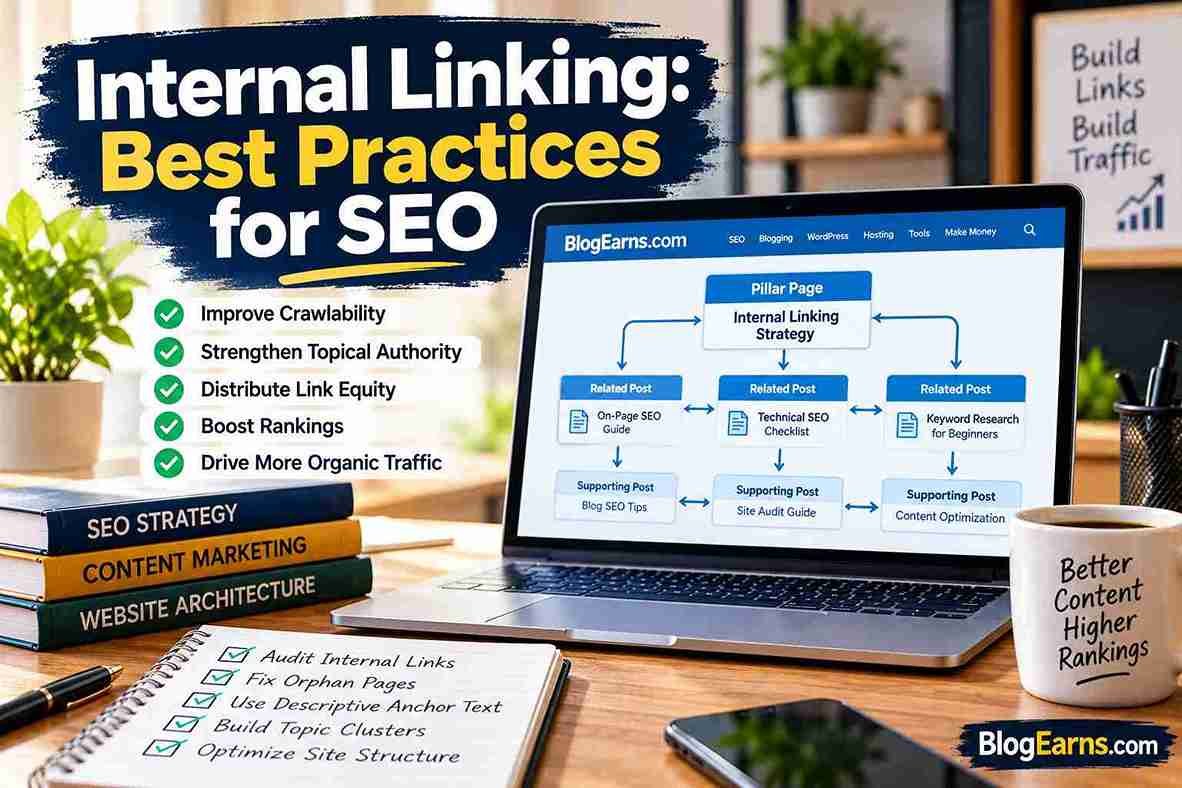
Internal Linking: Best Practices for SEO
Internal linking is one of the most practical ways to improve a website’s structure, help readers discover relevant information, and make important content easier for search engines to find. Yet it is frequently overlooked. Website owners may publish dozens or hundreds of articles without connecting them into a coherent information system.
The result can be a collection of isolated pages, confusing navigation, repeated content, and valuable articles that receive little attention from either readers or search engines.
A well-planned internal linking strategy addresses these problems by connecting related pages through useful, descriptive links. It helps visitors move naturally from a beginner’s guide to a detailed tutorial, from a problem to its solution, or from an informational article to a relevant product or service page.
For bloggers and website owners, internal linking is not simply the process of adding links to old posts. It is part of website architecture, content organization, and user experience. Each link should have a purpose: explain a concept, provide supporting information, guide the reader to a useful next step, or make an important page easier to discover.
In this guide, you will learn how internal linking works, why it matters for SEO, how to choose appropriate anchor text, how to build topic clusters, how to audit internal links, and how to maintain a healthy link structure on a WordPress website. You will also learn which technical issues deserve immediate attention, and which recommendations are best treated as editorial judgment rather than strict search engine rules.
The central principle is straightforward: link pages when the connection genuinely helps the reader, and organize those connections so important content is easy to discover.
What Is Internal Linking in SEO?
Internal linking is the practice of connecting one page on a website to another page on the same website. These connections help visitors navigate the site and help search engines discover pages and understand how the content relates.
For example, suppose you publish an article about search engine optimization. Within that article, you could link to a detailed guide about keyword research, a technical SEO checklist, and an explanation of Google Search Console. Each link gives the reader a relevant next step without requiring them to return to the homepage and search for another article.
An internal link typically uses an HTML anchor element with an href attribute:
<a href="/what-is-seo.html">learn the fundamentals of SEO</a>The visible words, “learn the fundamentals of SEO,” are the anchor text. The destination URL identifies the page the reader will reach when clicking the link.
Internal links versus external links and backlinks
| Link type | What it connects | Example |
|---|---|---|
| Internal link | Two pages on the same website | One BlogEarns article linking to another BlogEarns article |
| External link | Your page to a different website | A tutorial linking to Google’s official documentation |
| Backlink | Another website linking to your website | An SEO publication linking to a BlogEarns guide |
Internal links are under your editorial control. You can choose where to place them, which pages they connect, and how to describe their destinations. Backlinks, by contrast, originate from other websites.
These link types serve different purposes. Internal links organize your own content and support navigation, while backlinks can help search engines discover your pages and evaluate their relevance in the wider web.
Internal linking and website architecture
Website architecture is the way pages are organized and connected. A clear structure makes it easier for visitors to understand where they are, where related information lives, and how to move between sections.
Imagine a blog with 100 articles about SEO. If every article is published independently, readers may struggle to find related tutorials. If those articles are organized into sensible categories and connected through contextual links, the website becomes easier to explore.
A useful structure might look like this:
- SEO fundamentals: introductory explanations and beginner guides.
- Keyword research: keyword discovery, search intent, and topic planning.
- Technical SEO: crawling, indexing, internal links, and site audits.
- Content optimization: headings, titles, meta descriptions, and content updates.
These categories provide organization, while internal links connect pages that help readers solve related problems. A page does not have to sit in the same category as another page to link to it, provided the relationship makes sense.
Why Is Internal Linking Important for SEO?
Internal links are useful because they connect a website’s content into a structure that both people and search engines can navigate. Their impact is not limited to a single ranking mechanism.
Helping search engines discover pages
Search engines discover URLs through several methods, including links and sitemaps. A crawlable internal link gives a search engine another route to a page.
Google explains in its official link best practices documentation that links help it discover pages and understand their relevance. It recommends standard, crawlable links and descriptive anchor text.
This matters when you publish a new article. Linking to it from an established, relevant page creates an additional discovery path. It does not guarantee immediate crawling or indexing, but it can make the page easier to find.
Supporting crawling and content discovery
A crawler follows links to discover URLs. When important pages are connected through useful internal links, search engines have clearer paths through the website.
Consider an older article that receives internal links from several relevant guides. A new supporting article linked from that older page may be easier to discover than a page with no links from the site’s main content.
A sitemap can also help search engines discover URLs, but it should not be treated as a replacement for a logical internal linking structure. Google notes that sitemaps are hints, not guarantees that every submitted URL will be crawled or indexed.
Providing context about linked pages
Anchor text and surrounding sentences help describe the destination. A link labelled “how to research keywords for a new website” gives a clearer indication of the destination than a bare “click here” link.
This context helps readers decide whether the destination is relevant. It also gives search engines information about the relationship between the source page and the target page.
Improving navigation and reader experience
A visitor reading a technical SEO tutorial may encounter a term they do not understand. A contextual link to a beginner-friendly explanation lets the reader explore the subject without abandoning the original article.
Good internal links also support different levels of knowledge. Beginners can follow foundational guides, while experienced readers can move directly to specialized resources.
Connecting related content
A collection of relevant articles can become more useful when its pages reference one another appropriately. For example, a guide to keyword research can link to an SEO fundamentals article, while that fundamentals article can link back to the detailed research tutorial.
The relationship should be meaningful rather than forced. A link between unrelated topics may add little value, even if both pages contain the same keyword.
Supporting link-based signals
Google uses links as signals when evaluating page relevance. Internal links can help distribute link-based signals through a site’s structure, although the precise ranking effect of a particular link cannot be reliably calculated from link counts alone.
Adding five links to a page does not automatically make it rank better than a page with two. Destination relevance, page quality, crawlability, site structure, and many other factors influence search performance.
Reducing isolated pages
An orphan page is a page with no internal links pointing to it from other pages on the site. It may still be discoverable through a sitemap, an external backlink, or another source, so “orphan” does not necessarily mean invisible to search engines.
However, an important article with no internal links is harder for visitors to find through normal navigation. Connecting it to relevant pages can improve its accessibility and integrate it into the site’s content structure.
Supporting business goals
For commercial websites, internal links can guide visitors from informational content to useful next steps. A tutorial might link to a related service page, a comparison guide, a free tool, or a relevant product.
These links should match the reader’s needs. A sales link placed in a troubleshooting article can be helpful when it solves the reader’s problem, but distracting when it interrupts an explanation without adding value.
Internal linking alone does not guarantee better rankings, indexing, traffic, or conversions. Its value comes from making a website more understandable, discoverable, and useful.
How Internal Linking Works
Understanding the mechanics makes it easier to identify problems and avoid ineffective implementation.
HTML links and the href attribute
A conventional internal link looks like this:
<a href="https://blogearns.com/2026/09/what-is-seo.html">
  read the SEO fundamentals guide
</a>
The anchor element, <a>, creates the link, and href specifies its destination. A relative URL can also be used when it resolves correctly within the website.
A button that merely triggers a JavaScript action is not necessarily equivalent to a crawlable hyperlink. For important navigation and content links, use standard links that expose a destination URL.
Crawlable links
Google can generally crawl links implemented as an anchor element with an href attribute. Links that rely on unusual markup or script-only interactions may not be discovered reliably.
This is especially important for menus, expandable content, related-article modules, and navigation generated by themes or plugins. Test important links in the rendered page and confirm that they lead to the intended destination.
Link paths and page depth
Page depth describes how many navigational steps separate a page from a starting point, commonly the homepage. There is no universal depth that guarantees good or bad rankings, but an important page buried behind many layers can be difficult for visitors to find.
If a core guide is important to your website, consider linking to it from a relevant category, a pillar page, and supporting articles. Do this because the page deserves to be discoverable, not to reach an arbitrary link count.
PageRank and internal link equity
PageRank is a link-analysis concept associated with how links contribute to the importance of pages. Internal links can help connect pages within a website’s link graph, but the process should not be reduced to a simple calculation in which every link delivers an equal, predictable share of ranking value.
The number of links, their locations, the structure of the website, and search systems beyond PageRank complicate any attempt to estimate rankings from link counts alone.
The practical takeaway is to build links that make sense for users and search engines. Do not add irrelevant links or repeatedly link to one page simply to manufacture a presumed ranking advantage.
Types of Internal Links
Different link placements serve different purposes. The best structure combines useful navigation with contextual links that appear naturally in the content.
Contextual links
Contextual links appear within the main body of an article. They are particularly useful when a sentence mentions a topic that another page explains in greater detail.
For example, an article about blogging might link to how to start a blog when explaining the steps involved in launching a website.
Contextual links work well when the destination genuinely expands on the current discussion.
Navigational links
Menus and navigation bars connect major sections of a website. They help visitors locate categories, tools, services, and other important destinations.
Keep navigation labels clear. A menu with too many competing items can become difficult to use, especially on mobile screens.
Breadcrumb links
Breadcrumbs show the visitor’s position within a website hierarchy. A trail might look like:
Home > SEO > Technical SEO
Each level can link to its corresponding page or category. Breadcrumbs are most useful on sites with a meaningful hierarchy, particularly larger blogs, online stores, and documentation websites.
Footer and sidebar links
Footers commonly link to important utility pages, policies, contact information, and selected site sections. Sidebars can provide relevant categories, resources, or related articles.
These elements can improve navigation, but filling them with long lists of repetitive keyword-rich links rarely improves the reader’s experience. Sitewide links should have a clear purpose.
Related-post links
Related-post modules recommend additional content, often near the end of an article. They can encourage further exploration when recommendations are actually related to the current topic.
An SEO tutorial should ideally recommend related SEO resources rather than unrelated posts selected only because they are recent.
Category and tag archive links
Category pages organize content by broader subject, while tags can group articles around more specific themes. Both can help readers navigate a site when the taxonomy is planned carefully.
Creating large numbers of overlapping or empty archive pages can make the site harder to navigate. Use categories and tags that reflect meaningful content relationships.
Pillar-page and supporting-article links
A pillar page provides a broad overview of a subject. Supporting articles cover specific questions in more detail. Links should connect the two directions: the pillar page points readers to relevant detailed guides, and those guides link back when the main resource offers useful context.
This approach helps readers move between general and specialized information without forcing every page into an artificial cluster.
Image links
Images can be internal links, such as a clickable thumbnail that opens a tutorial. When an image is the link’s only content, its alternative text should describe the destination or function appropriately. Avoid using an image link without meaningful accessible text.
Links between informational and commercial pages
A tutorial may link to a relevant tool, service, or product page when that destination provides a useful next step. The purpose should be transparent and relevant to the reader’s task, not simply to push every visitor toward a conversion.
Internal Linking Best Practices for SEO
This is the core of an effective internal linking strategy. The objective is not to maximize the number of links on every page. It is to make the right relationships between pages clear, useful, and technically sound.
1. Create a logical website hierarchy
Organize content into a structure that reflects how readers think about your subject. A blogging website might separate SEO, WordPress, hosting, and monetization into distinct sections, with individual articles grouped under relevant topics.
A sensible hierarchy helps visitors understand where content belongs. It also gives internal links a natural starting point: category pages, pillar guides, and supporting articles can all connect related resources.
Do not create extra category levels just to make the structure appear more sophisticated. The hierarchy should reflect real differences between topics.
2. Link related pages contextually
Whenever a paragraph introduces a concept that another article explains in greater detail, consider adding a link. The connection should help readers understand the current topic or take a relevant next step.
For example, an article about internal linking might refer to a technical SEO checklist when discussing crawlability, broken links, and site architecture.
Do not link every occurrence of a keyword. One well-placed link is often enough to provide the relevant resource.
3. Use descriptive, concise anchor text
Anchor text should tell readers what they can expect at the destination. Prefer “learn how to do keyword research for a new website” over “click here.”
Google recommends descriptive anchor text that helps users and search engines understand the linked page.
Keep the wording natural. An anchor does not need to match the destination’s exact target keyword every time, and it should never promise information that the linked page does not provide.
4. Make important pages easy to discover
Identify the pages that matter most to your audience or business. These may include foundational guides, high-value tutorials, tools, and key service pages.
Then make sure visitors can reach them through relevant navigation and contextual links. A page that is central to your website should not depend entirely on a visitor finding it through the search box.
5. Connect pillar pages with supporting articles
A broad guide about SEO can link to detailed articles about keyword research, technical SEO, and content optimization. Each supporting article can link back to the broad guide when readers would benefit from the bigger picture.
This creates a useful path between overview and detail. It also makes it easier to update your content structure when you publish new resources.
6. Build topic clusters around meaningful relationships
A topic cluster is a group of pages covering related aspects of a subject. The links between those pages should reflect actual content relationships, not simply shared keywords.
For instance, a cluster about website SEO might include a fundamentals guide, a keyword research tutorial, a technical checklist, and a site-audit guide. A post about unrelated entertainment news would not belong in that cluster merely because it contains the phrase “website.”
Topic clusters can improve organization and content discovery, but they do not automatically create authority or guarantee rankings.
7. Link new articles to relevant existing content
Publishing a new article should trigger a brief internal linking review. Search your existing content for pages that discuss the same subject, a prerequisite concept, or a logical next step.
Add links where they improve the older article. This is usually more efficient than relying exclusively on new posts to link to older resources.
For a new guide about internal linking, relevant existing pages may include SEO fundamentals, keyword research, and technical SEO. Confirm the context before inserting each link.
8. Update older articles with links to new content
The process works in the opposite direction too. When a new article fills a genuine gap, revisit older articles that would benefit from it.
Suppose you publish a detailed guide to internal link audits. Older articles about technical SEO or site analysis may already mention broken links and crawlability. A contextual link to the new audit guide can help readers who want implementation instructions.
Update only pages where the new resource adds value. Do not revise dozens of articles simply to create links.
9. Use breadcrumbs where they improve navigation
Breadcrumbs can help visitors understand a page’s location within a larger structure. They are particularly useful for deep content hierarchies and websites with many categories.
Choose breadcrumb paths that accurately reflect the site. If an article fits under a meaningful SEO category, its breadcrumb should not place it under an unrelated category just to fit a template.
10. Review category and archive-page linking
Category pages can act as navigation hubs for related content. Review whether important articles appear in appropriate categories and whether visitors can move from the category page to the articles they need.
Tags should be used with similar care. Creating hundreds of thin, overlapping tag archives can clutter navigation and produce pages with little standalone value.
11. Avoid orphan pages
An important article should generally have at least one relevant internal link pointing to it. Ideally, it should be linked from a page that readers would reasonably visit before or alongside the destination.
To find orphan pages, compare a crawl of the website with other URL sources, such as the XML sitemap or a CMS export. A crawler that follows links alone may never discover a true orphan, so one source of data is not always enough.
12. Fix broken internal links
A broken link leads to a destination that no longer works as intended, commonly a page returning a 404 error. Broken links frustrate readers and interrupt navigation.
When a destination is missing, determine whether the content has moved, been deleted, or never existed. Link to a relevant replacement if one exists. If the destination should be available, restore it or correct the URL.
Do not automatically redirect every broken URL to the homepage. A generic redirect may confuse visitors who expected a specific article.
13. Remove unnecessary redirect hops
If an internal link points to a URL that redirects to another URL, update the link to point directly to the intended final destination when practical.
For example, if an old article URL redirects to a newer permalink, edit internal links that still use the old URL. This simplifies navigation and reduces unnecessary redirect steps.
A redirect is not automatically an SEO emergency. Prioritize links that lead to chains, loops, irrelevant destinations, or a poor user experience.
14. Make sure important links are crawlable
Use standard HTML links with valid href attributes for important navigation and contextual links. Review menus, accordions, related-post widgets, and other components that may be generated through scripts.
If a critical destination can only be reached by triggering a script that does not expose a crawlable link, consider a more reliable implementation.
15. Link to the preferred canonical URL
A canonical URL is the version of a page that you indicate should be treated as the preferred URL when duplicates or similar versions exist.
If a page has a canonical URL, internal links should generally point directly to that preferred version rather than a duplicate or redirecting variant. Check URL consistency across HTTP and HTTPS, trailing slashes, capitalization, and parameters where relevant.
Canonical tags and internal links serve different purposes. A canonical declaration is a signal about URL preference; it does not replace the need for a clear internal link structure.
16. Review links to noindexed or unsuitable destinations
A page with a noindex directive is intended not to appear in search results. If an internal link points to such a page, consider whether the link serves a deliberate user purpose.
For example, linking to a private account page may be perfectly reasonable. Linking prominently to a noindexed duplicate of a public tutorial may indicate that the site is sending readers to the wrong destination.
Do not remove links to all noindexed pages indiscriminately. Evaluate the destination’s purpose and whether it is useful to the visitor.
17. Balance user experience with crawl efficiency
Large websites can have complex navigation, filters, pagination, and archive pages. A well-organized site gives users clear routes to important content without generating unnecessary complexity.
For smaller blogs, this usually means keeping navigation understandable and connecting articles sensibly. For large websites, it may also require reviewing faceted navigation, parameterized URLs, and redundant pathways.
Do not remove useful links solely to reduce a link count. Focus on whether the structure helps people find the content they need.
18. Avoid excessive or irrelevant links
There is no universal number of internal links that every article should contain. The right number depends on the article’s purpose, complexity, and the resources genuinely relevant to the reader.
A detailed tutorial may naturally need many links. A short announcement may need only one or two. Repeating the same link in every paragraph can be distracting, especially when the repetition provides no additional context.
19. Use image-link alt text appropriately
When a linked image is the only visible content inside a link, its alternative text can communicate the link’s purpose to people using assistive technology. Write alt text that describes the image’s relevant function rather than stuffing it with keywords.
If the image is decorative and the link already contains descriptive text, the appropriate markup may differ. Accessibility should guide the decision.
20. Keep anchor text natural and varied
The same anchor text can be appropriate when the destination and context are the same. There is no need to invent a different phrase for every link merely to make anchors look varied.
However, avoid forcing an exact-match keyword into sentences where it sounds unnatural. The words should fit the sentence and accurately describe the destination.
21. Consider mobile navigation and accessibility
Internal links are useful only when visitors can find and activate them. Check that navigation works on smaller screens, linked text is readable, interactive elements are usable by keyboard, and links are not crowded so tightly that users accidentally select the wrong destination.
Do not rely solely on color to distinguish links from surrounding text. Clear styling improves usability for a broader range of visitors.
22. Review important pages after major site changes
Redesigns, category reorganizations, URL changes, and theme updates can affect internal links. After a major change, check whether navigation still works and whether links lead to the intended pages.
Review both contextual links in article bodies and links generated by menus, widgets, breadcrumbs, and templates.
23. Maintain links during content updates and migrations
Before changing a permalink, identify existing internal links that point to the current URL. After the change, update those links to the new preferred URL and configure a relevant redirect when necessary.
During a migration, create a URL mapping between old and new pages. Test the mapping before launch, then crawl the new website to find broken links, redirect chains, and destinations that no longer match the original intent.
24. Use automated suggestions cautiously
Internal linking tools can identify possible connections by comparing page topics, keywords, and existing link patterns. These suggestions can save time on a large website.
However, an automated system may recommend links that are technically related but editorially unhelpful. Review the sentence, anchor text, destination, and reader intent before accepting a suggestion.
Automation should accelerate human judgment, not replace it.
How to Build an Effective Internal Linking Strategy
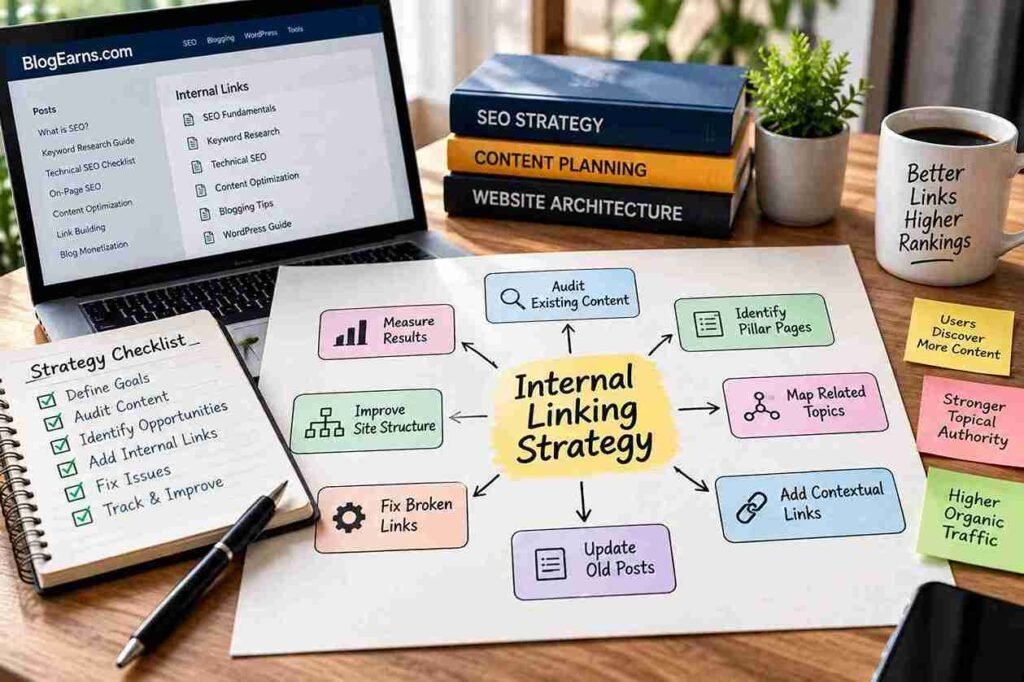
A sustainable strategy begins with an understanding of the website’s content, audience, and goals. Instead of editing random pages, follow a repeatable process.
Step 1: Identify the site’s main topics and objectives
List the subjects your website covers and the goals each section supports. A blog might prioritize educational content, free tools, affiliate reviews, and monetization tutorials.
This helps distinguish core resources from secondary pages. The objective is not to give every page equal prominence, but to make the pages that serve readers and business goals easy to discover.
Step 2: Audit your existing URLs
Create an inventory of published pages and classify them by topic, purpose, and importance. A crawl can provide URLs and link relationships; a CMS export can help identify pages that the crawl misses.
Where possible, combine this inventory with Search Console performance data. This helps you see which pages already attract search visibility and which important pages receive limited discovery.
Step 3: Map pages to their search intent
Search intent describes what a person is trying to accomplish with a query. An introductory SEO guide, a technical troubleshooting tutorial, and a commercial SEO tool review may all discuss SEO, but they answer different needs.
Map each important URL to its main topic and purpose. This reduces the risk of linking readers to a page that does not answer their question.
Step 4: Identify pillar pages and supporting resources
Choose broad, genuinely useful guides that can serve as central resources. Then identify more specialized articles that expand on specific sections of those guides.
A pillar page should not simply be the longest article on the website. It should provide a coherent overview and help readers navigate to relevant details.
Step 5: Map relationships between pages
A simple spreadsheet can help you record internal linking opportunities.
| Source page | Destination page | Reason for linking | Suggested anchor |
|---|---|---|---|
| SEO fundamentals | Keyword research guide | Explains how to choose topics | keyword research for a new website |
| Technical SEO guide | Internal linking guide | Expands on site structure | internal linking best practices |
| Internal linking guide | SEO fundamentals | Provides broader context | SEO fundamentals |
| Keyword research guide | Technical SEO guide | Connects content planning with site accessibility | technical SEO checklist |
These are illustrative relationships. For BlogEarns.com, use the actual published pages and verify that each destination supports the surrounding sentence before adding the link.
Step 6: Prioritize the most useful opportunities
Start with problems that affect important pages: broken links, orphaned core resources, incorrect destinations, and missing links from closely related articles.
Next, review high-value content that receives search impressions or supports a business goal but has few relevant incoming links. Then consider smaller editorial improvements.
Do not prioritize a page simply because a tool assigns it a high score. Use tool metrics as clues, not as an unquestionable ranking formula.
Step 7: Add links and document changes
Record the source URL, target URL, anchor text, and reason for each significant change. This makes future reviews easier and helps you identify what changed if performance or navigation behaves unexpectedly.
For a small website, a simple spreadsheet may be enough. Larger sites may need crawl exports, content management workflows, or automated reporting.
Step 8: Review and improve the strategy over time
Internal linking is ongoing work. As new articles are published and older pages are updated, new relationships become useful.
Schedule periodic reviews, and also run a focused check after migrations, redesigns, permalink changes, or large-scale content consolidation. Re-crawl after implementing fixes to confirm that the intended changes worked.
Worked example: an SEO blog
Suppose a website has four resources:
- SEO fundamentals: explains how SEO works.
- Keyword research guide: explains how to discover and prioritize topics.
- Technical SEO checklist: explains crawling, indexing, and site structure.
- Internal linking guide: explains how pages should connect.
A sensible structure connects the fundamentals guide to the keyword research and technical SEO guides. The internal linking guide can link to the technical checklist when discussing crawlable links and link audits. The keyword research guide can point readers to SEO fundamentals when explaining how topic selection fits into the broader process.
The links should work in both directions where appropriate, but they do not have to form a rigid pattern. Each connection should follow the reader’s likely next question.
For BlogEarns readers, the existing SEO fundamentals guide, keyword research guide, and technical SEO checklist are relevant resources to connect with this article. Verify each page’s current content and canonical URL before publication.
Internal Linking and Topic Clusters
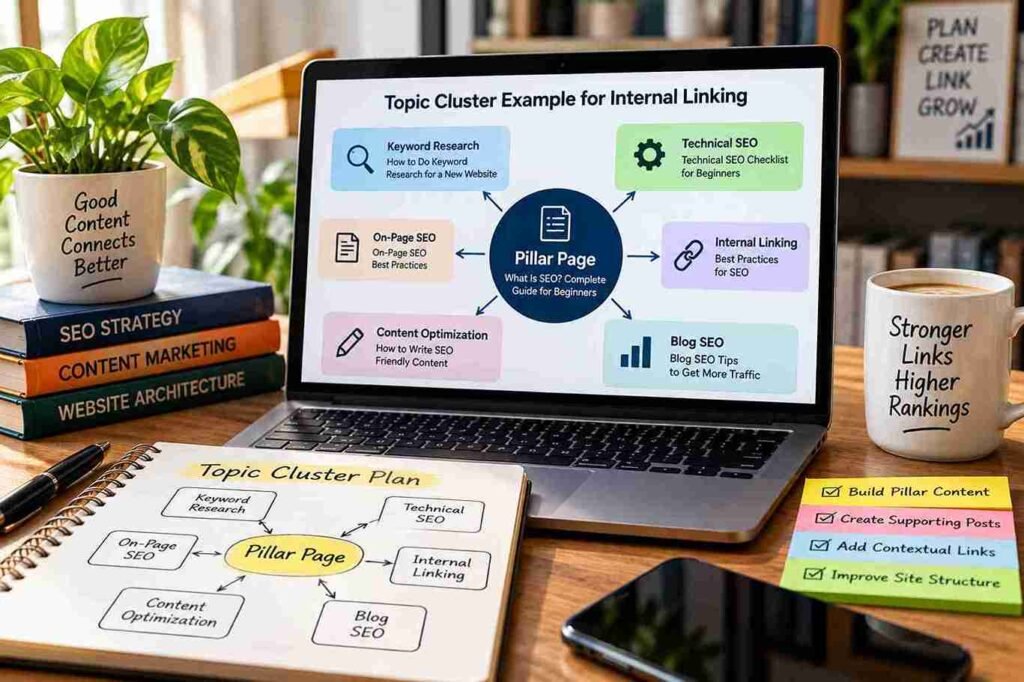
Topic clusters organize a broad subject into a central resource and supporting pages. The internal links between those pages help readers move between related questions.
A pillar page might cover the fundamentals of SEO, while supporting pages explain keyword research, crawling, internal links, and content optimization. The pillar page introduces the major areas and links to deeper explanations. Supporting articles link back when the broader guide offers useful context.
| Page type | Main purpose | Useful linking relationships |
|---|---|---|
| Pillar page | Explain the broad topic | Links to relevant supporting guides |
| Supporting article | Answer a specific question | Links to the pillar page and closely related articles |
| Troubleshooting guide | Help readers fix a particular problem | Links to prerequisite concepts and related solutions |
| Tool or resource page | Help readers perform a task | Links to relevant tutorials and explanations |
| Category page | Organize a group of resources | Links to important articles in that topic area |
How to identify meaningful topical relationships
Ask three questions before adding a link:
- Does the destination explain a concept mentioned on the source page?
- Would a reader reasonably want to visit the destination at this point?
- Does the anchor text accurately describe what the destination provides?
If the answer to all three is yes, the link is likely to be useful.
Avoid artificial clusters created only to connect every page to every other page. An article about one specific WordPress setting may need only a few related links, not connections to every article about blogging.
Finding gaps in a cluster
Review the subject from the reader’s perspective. If the pillar page mentions a process that no supporting article explains, that may be a content opportunity. If a supporting article has no useful path back to the broader topic, add one when it helps readers.
As the website grows, revisit the cluster to remove outdated destinations, connect genuinely relevant new articles, and consolidate overlapping content when there is a sound editorial reason.
Topic clusters are an organizational approach, not a special ranking feature. Their value depends on content quality, useful relationships, and clear navigation.
How to Optimize Internal Link Anchor Text
Anchor text is the clickable text in a link. It tells the reader what the destination contains and helps distinguish one link from another.
The best anchor text is descriptive enough to set expectations but concise enough to fit naturally into the sentence.
Descriptive versus generic anchor text
Compare these examples:
| Weak or less helpful | Better alternative |
|---|---|
| Click here | Read the SEO fundamentals guide |
| This article | Learn how to research keywords for a new website |
| More information | Review the technical SEO checklist |
| Best guide | Follow the internal link audit process |
Generic anchors are not automatically wrong. “Read more” may be appropriate in a compact card when the article title is already visible nearby. But descriptive anchors usually communicate more information when they appear in a paragraph.
Exact-match, partial-match, and natural anchors
An exact-match anchor uses the destination’s main keyword, such as “internal linking.” A partial-match anchor includes a variation, such as “internal linking best practices for a blog.” A natural descriptive anchor explains the destination in ordinary language, such as “how to audit links between your articles.”
All three can be appropriate. Choose the wording that best fits the context rather than trying to distribute a fixed percentage of anchor types.
Repeated anchor text is also perfectly natural when several pages refer to the same resource for the same reason. The problem is not repetition itself; it is awkward, misleading, or excessive keyword-focused wording.
Use surrounding context
The sentence around a link should explain why the destination is relevant. For example:
Before publishing a new article, identify the questions readers are searching for and review this guide to keyword research for a new website.
The sentence gives the link a clear purpose. By contrast, inserting the same anchor into a paragraph that does not discuss keyword selection would feel unnatural.
Image links and accessibility
If a thumbnail links to an article, ensure the link has an accessible name. Depending on the implementation, the image’s alt text may provide that name. When the image is decorative and a visible text link already describes the destination, avoid duplicating information unnecessarily.
For more technical guidance, refer to Google’s link best practices, which explains how links and anchor text help users and search engines understand destinations.
Internal Linking Mistakes to Avoid
Some internal linking problems are technical and can be confirmed through a crawl. Others require editorial judgment. Distinguishing the two helps you focus on real issues rather than treating every audit warning as a ranking emergency.
Orphan pages
An important article with no internal incoming links may be difficult to find through normal navigation. Identify the page’s topic and add links from relevant existing content or a suitable category page.
Before doing so, check whether the page should remain published. If it is outdated, duplicated, or no longer useful, consolidation or removal may be more appropriate.
Broken links and unnecessary redirects
Links leading to 404 errors should be reviewed. So should links that pass through redirects when the source page can be updated to point directly to the final URL.
Do not redirect an unrelated deleted article to a popular page simply to avoid a 404. The destination should be relevant to the original URL and visitor intent.
Irrelevant contextual links
A link can be technically valid but editorially poor. Linking from a guide about technical SEO to an unrelated product review may interrupt the reader without answering a question.
Keep links that explain, support, or extend the current topic. Remove links that serve no clear reader need.
Excessive sitewide links
Footers and sidebars can contain useful navigation, but large blocks of repeated links may overwhelm the layout. Keep global navigation focused on the destinations people actually need.
A large link count is not automatically a problem. The question is whether the links improve navigation or create clutter.
Over-optimized anchors
Repeatedly forcing exact-match keywords into anchors can make the writing awkward. Use language that accurately describes the destination and fits the sentence.
Important pages buried too deeply
If a critical guide can only be reached through a long sequence of category and subcategory pages, consider adding a direct contextual link from a relevant high-level resource.
Do not assume that every page must be reachable in a fixed number of clicks. Evaluate the actual navigation experience and the page’s importance.
Links to noindexed or duplicate pages
Review why the destination is excluded from search results. If it is a useful private or utility page, the link may be intentional. If it is an accidental duplicate of a public article, update the link to the preferred destination.
Links that search engines cannot crawl reliably
Check important menus and content widgets for valid hyperlink markup. A link that works only through a custom script may not provide the same reliable discovery path as a standard anchor element with an href.
Inconsistent URL variants
Internal links should generally use the preferred HTTPS URL and canonical version of a page. Correct inconsistent versions when they lead through redirects or duplicate URLs.
Automated links without editorial review
Automatic linking can insert a link into a sentence where the destination does not make sense. Review suggestions before publication, especially when a plugin adds links in bulk.
The goal is not to eliminate every technical warning. It is to ensure that the website’s important links work, lead to appropriate pages, and help people navigate.
Internal Linking for WordPress Websites
WordPress provides built-in tools for adding and editing links. You do not need a dedicated internal linking plugin to build a sound strategy.
Add links in the WordPress block editor
To create an internal link in the block editor:
- Open the post or page you want to edit.
- Select the words that should become the link.
- Choose the link control in the editor toolbar, or use
Ctrl + Kon Windows. - Search for an existing post or page by title, or enter its URL.
- Confirm the destination and save or update the article.
- Open the published page to test the link.
WordPress documents these steps in its official link editing guide. The link control can search for existing site content, which reduces the need to copy and paste URLs manually.
Review permalink changes carefully
Changing a permalink can break links that still point to the old address. Before changing a URL, consider whether the new structure is necessary and identify pages that link to the existing address.
After changing it, update internal links to the new preferred URL and configure a relevant redirect when appropriate. Then test the old and new addresses.
Use categories and breadcrumbs sensibly
Categories can organize related articles and give visitors another route to important content. Breadcrumbs may help visitors understand the site’s hierarchy, particularly when a website has many nested sections.
Do not add plugins just to create a feature your theme or existing SEO plugin already provides. Overlapping plugins can complicate maintenance and create inconsistent output.
Review plugin-generated suggestions
Some WordPress SEO and internal linking tools recommend related posts or automate links based on keywords. These can help when managing a large content library, but their suggestions still need human review.
Before accepting a suggested link, read the complete sentence, inspect the destination, and ensure that the link provides useful context. Avoid bulk changes without a backup and a way to review the results.
Best Internal Linking Tools
The right tool depends on the size of your website and the kind of problem you are trying to solve. Search Console provides search visibility information, crawling tools inspect link structures, and WordPress plugins can help with editing or suggesting links. These tools are complementary rather than interchangeable.
| Tool | Primary use | Cost and suitability | Main limitation |
|---|---|---|---|
| Google Search Console | Review search performance, indexing information, and the Links report | Free; useful for almost every site | The Links report is not a complete crawl of every internal link |
| Screaming Frog SEO Spider | Crawl pages and inspect links, redirects, and errors | Free version supports up to 500 URLs per crawl; paid licence for larger crawls and advanced features | Requires some familiarity with crawl data |
| Ahrefs Site Audit | Identify site issues, broken links, and potential internal linking opportunities | Paid platform; availability depends on the current plan | Findings depend on crawl configuration and the data available |
| Semrush Site Audit | Review site health, crawlability, and internal link structure | Paid platform with plan-dependent limits and offerings | A report identifies issues but does not replace editorial decisions |
| WordPress editor | Add, edit, and maintain links within posts and pages | Included with WordPress | Does not provide a comprehensive sitewide audit on its own |
Screaming Frog’s official site confirms that its free version is limited to 500 URLs per crawl, while paid access removes that limit and adds advanced functionality.
Ahrefs provides documentation for finding pages that link to broken destinations through Site Audit.
Help Center – Ahrefs Semrush’s documentation describes internal linking reports for identifying orphaned pages and pages with high click depth.
Which tool should a beginner choose?
For a small blog, start with Google Search Console, the WordPress editor, and a spreadsheet. This combination can help you review search performance, edit links, and track changes without immediately paying for an SEO platform.
If you need to crawl hundreds of URLs and identify broken links, try Screaming Frog’s free version. If your website has thousands of pages or requires recurring technical audits, a paid crawler or SEO platform may save time.
Do not buy a tool just to increase internal link counts. Choose it because it helps answer a specific question, such as which important pages have few incoming links or which links lead to errors.
How to Conduct an Internal Link Audit
An internal link audit examines how pages connect, whether links work correctly, and whether important content is easy to discover. A useful audit combines automated checks with editorial review.
Step 1: Crawl the website
Use a crawler such as Screaming Frog or a site-audit platform to collect URLs, incoming links, outgoing links, response codes, and other relevant information.
For a small site, the free Screaming Frog version may be sufficient. Configure the crawl to include the pages and sections you want to evaluate.
Step 2: Export the URL inventory
Export the discovered URLs and relevant link data into a spreadsheet. Keep fields such as source URL, destination URL, anchor text, status code, and number of incoming internal links where available.
This inventory becomes the working document for the audit.
Step 3: Identify important pages
Mark the pages that serve key purposes: foundational guides, pages attracting organic search traffic, useful tools, and important commercial destinations.
Use Google Search Console’s performance data to identify pages with impressions and clicks. The goal is to understand which pages matter before deciding which internal linking problems deserve priority.
Step 4: Find orphaned or poorly connected pages
Compare the crawl with your XML sitemap, CMS export, and other available URL sources. A page absent from a link-based crawl may be orphaned, but it may also be blocked, inaccessible to the crawler, or excluded by the crawl settings.
Review each candidate before making changes. Add links from relevant pages when the destination deserves to remain accessible.
Step 5: Find broken internal links
Filter for internal links pointing to error responses, especially 404 pages and server errors. Open the source page and determine whether the link is outdated or the destination itself needs repair.
Fix the link, restore the intended page, or provide a genuinely relevant replacement.
Step 6: Identify links that pass through redirects
Look for internal links that point to redirecting URLs. Where practical, replace them with direct links to the final destination.
Pay particular attention to redirect chains, loops, and redirects that lead to an unrelated page.
Step 7: Check canonical URLs and indexability
Confirm that important links point to the preferred URL and that important destination pages are accessible and eligible for indexing.
Review canonical declarations and noindex directives where relevant. A crawler’s report should be investigated rather than accepted blindly, because a non-indexable page may be intentional.
Step 8: Review anchor text and context
Read the surrounding sentence for each important link. Does the anchor describe the destination accurately? Does the link help the reader? Is the destination relevant to the subject being discussed?
Automated tools can identify anchor text, but they cannot always judge whether a link improves the article.
Step 9: Review page depth and navigation
Identify important pages that require too many navigational steps to reach or have few relevant incoming links.
Consider adding contextual links from related articles, improving category pages, or adjusting navigation. Make changes according to the page’s importance and user needs rather than a universal click-depth rule.
Step 10: Check recently updated content
Review articles that have been revised, consolidated, or moved to new URLs. Confirm that their internal links still work and that other articles point to the current destinations.
Step 11: Prioritize the corrections
Use the following table to organize the work.
| Issue | How to detect it | Recommended fix | Priority |
|---|---|---|---|
| Broken internal link | Crawl reports an error destination | Repair the URL or restore the page | High if important content is affected |
| Orphaned core article | Compare crawl with sitemap or CMS inventory | Add relevant incoming links | High for important pages |
| Link through a redirect | Inspect internal destination URLs | Link directly to the final URL | Medium; high for chains or bad destinations |
| Incorrect canonical destination | Review canonical tags and URL variants | Update links to the preferred URL | High when important pages are affected |
| Link to an unintended noindexed page | Inspect destination directives and purpose | Link to the appropriate public destination, if one exists | Context-dependent |
| Generic anchor text | Review important content links | Make the anchor more descriptive where useful | Medium |
| Excessive unrelated links | Editorial review | Remove links that distract or mislead | Medium |
| Important page buried in navigation | Review page paths and user journeys | Add appropriate navigation or contextual links | High when discovery is difficult |
Step 12: Re-crawl and document the results
After implementing changes, crawl the website again. Confirm that broken links have been corrected, important destinations are reachable, and URL changes have not introduced new problems.
Record the date, changes made, and remaining issues. Repeat the audit periodically, with additional checks after significant redesigns, migrations, or content reorganizations.
Remember that different tools see different parts of a website. A crawl, sitemap, Search Console report, and CMS export each provide different evidence. Combining them gives you a more complete picture.
How Many Internal Links Should a Page Have?
There is no universally correct number of internal links for every page. The appropriate number depends on the content, purpose, site structure, and number of genuinely relevant resources.
A detailed tutorial may need many links because it introduces several concepts and directs readers to deeper explanations. A short announcement may need very few. A category page may contain many article links because its purpose is to help visitors browse a collection.
Instead of following a fixed rule such as “add five links per 1,000 words,” ask:
- Does each link help explain the topic or provide a useful next step?
- Is the destination relevant to the surrounding sentence?
- Would the reader benefit from visiting the destination at this point?
- Are important links easy to notice and use?
- Have repeated links or unnecessary navigation elements made the page cluttered?
If the answers support adding a link, add it. If a link exists only to meet a numerical quota, reconsider it.
Internal Linking for New Websites Versus Established Websites
A new website and an established website have different starting points. The former needs a coherent structure from the beginning; the latter usually needs to improve and maintain an existing network of pages.
| Area | New website | Established website |
|---|---|---|
| Main priority | Create a clear content structure | Identify and repair weaknesses in the existing structure |
| Content planning | Define core topics and supporting guides | Map existing articles and identify gaps |
| Internal links | Connect related pages as they are published | Add missing links and update outdated destinations |
| Technical checks | Verify navigation and crawlable links | Audit broken links, redirects, canonical URLs, and orphan pages |
| Measurement | Establish a baseline | Compare current data with previous periods |
| Maintenance | Review links during publishing | Schedule recurring audits and post-migration checks |
For new websites
Begin by defining your main topics and creating useful foundational pages. Add internal links as supporting articles are published rather than postponing the work until the site contains hundreds of posts.
Keep categories manageable and avoid creating pages that have no clear purpose. This makes the website easier to maintain as it grows.
For established websites
Start with a crawl and an inventory of important URLs. Identify broken links, outdated destinations, orphaned content, and valuable pages that have few relevant incoming links.
Update older articles when new content provides a genuinely better resource. Where multiple articles overlap substantially, evaluate whether they should remain separate, be improved, or be consolidated. Do not merge pages simply because they target similar words.
Measuring the Effectiveness of Internal Linking
Internal linking improvements should be evaluated through observable changes rather than assumptions about ranking gains.
Establish a baseline
Before making substantial changes, record the current state of the website. Useful measurements include:
- Number of broken internal links.
- Number of identified orphan pages.
- Number of internal links pointing through redirects.
- Incoming internal links to important pages.
- Crawl depth for selected URLs.
- Search impressions and clicks for relevant pages.
- Organic traffic and conversions where measurement is available.
These measurements help establish what changed after implementation.
Use Google Search Console
Google Search Console provides search performance and indexing information. Its Links report includes information about top internally linked pages, but Google notes that the report is not a comprehensive list of every link on the website.
Use it as one source of evidence rather than a substitute for a technical crawl. Compare performance over suitable periods and account for other changes, such as content updates, seasonal demand, site migrations, and broader search fluctuations.
Measure outcomes, not just link counts
Adding 100 links is not automatically better than adding 10. A more useful result might be that an important guide is no longer isolated, broken navigation is repaired, or visitors can move more easily between related tutorials.
For commercial pages, consider whether the changes improve useful actions such as sign-ups, downloads, enquiries, or purchases. These outcomes depend on more than internal linking, so avoid attributing every improvement to one change.
Review results over time
Some changes may have little measurable effect, while others improve navigation or discovery. Keep a record of the pages changed and the dates of implementation, then review technical and performance data over time.
Avoid drawing strong conclusions from a short period or a small number of pages. Search performance is influenced by many variables, and a before-and-after comparison alone does not prove causation.
Advanced Internal Linking Techniques
Once the basic structure is healthy, larger websites can use internal linking data to make more targeted improvements.
Prioritize pages using business goals and search data
Combine business importance with organic performance. A page that attracts relevant traffic but supports an important business goal may deserve attention. So may a foundational article that receives few incoming links despite being central to the website.
Prioritization should consider relevance, content quality, user intent, and the page’s purpose. Avoid creating a formula that claims to predict rankings from a few link metrics.
Find pages that need more relevant incoming links
Use a crawler to identify important pages with relatively few incoming links. Review those pages manually to determine whether additional links would help readers discover them.
A low incoming-link count is a diagnostic clue, not proof that a page is underperforming. Some pages need very few links because they serve narrow purposes.
Use high-traffic articles as discovery paths
Articles that attract organic traffic can be good places to link to related resources. Readers already visiting these pages may benefit from relevant supporting guides.
Do not add unrelated links merely because a page is popular. The link should follow the reader’s likely next question.
Combine crawl data with Search Console and CMS exports
A crawler shows how pages connect within the structure it can access. Search Console offers search visibility data, while a CMS export can reveal published content that is not readily discovered through links.
Combining these sources helps you identify pages that may be missing from the link structure and prioritize improvements based on actual site needs.
Manage multilingual websites carefully
On multilingual sites, link visitors to the correct language and regional version of a page whenever an equivalent resource exists. Avoid sending users from a localized article to an unrelated language version without a clear reason.
Review language navigation, URL mappings, and international targeting signals as part of the wider site structure. Internal links should support a coherent experience for users in each locale.
Preserve links during migrations
Before a migration, map old URLs to their intended new destinations. Test redirects, update navigation and contextual links, and crawl the new website after launch.
Do not assume redirects alone make all internal links correct. Direct links to the new preferred URLs reduce unnecessary hops and make the site’s structure easier to maintain.
Review JavaScript-rendered navigation
If menus or content modules are rendered through JavaScript, test whether important destinations are exposed as crawlable links in the rendered page. Ensure the navigation also works for users who rely on keyboard interaction or assistive technology.
For large websites, a repeatable process that combines crawl data, URL inventories, and editorial review is generally more reliable than adding links at random.
Frequently Asked Questions About Internal Linking
| 1. What is internal linking in SEO? |
|---|
| Internal linking connects one page of a website to another page on the same website. It helps readers navigate related content and gives search engines routes for discovering pages. |
| 2. Why are internal links important for Google? |
| Internal links can help Google discover URLs and understand the relationship between pages. They do not guarantee that every linked page will be crawled, indexed, or ranked. |
| 3. Do internal links help SEO rankings? |
| They can support SEO by improving discovery, contextual relevance, and site structure. However, the effect of a particular link cannot be predicted from link counts alone, and internal links do not guarantee higher rankings. |
| 4. How many internal links should a blog post have? |
| There is no universal ideal number. Add links when they provide useful context, help readers explore related material, or support navigation. Avoid arbitrary quotas. |
| 5. What is the difference between internal links and backlinks? |
| Internal links connect pages on the same website. Backlinks are links from other websites to your website. Both are part of the web’s link structure, but they serve different roles. |
| 6. What is an orphan page? |
| An orphan page has no internal links pointing to it from other pages on the site. It may still be discoverable through a sitemap or external link, but it is less accessible through the site’s normal navigation. |
| 7. Should every article link to a pillar page? |
| No. A supporting article should link to a pillar page when that broader resource helps readers understand the topic or explore related information. Forcing every article into the same structure can create irrelevant links. |
| 8. Should old blog posts link to new articles? |
| Yes, when the new article provides useful information that expands or clarifies the older post. Review the surrounding context and use descriptive anchor text. |
| 9. Is exact-match anchor text good for internal linking? |
| It can be appropriate when it reads naturally and describes the destination. There is no need to use exact-match wording every time. Clarity and relevance should guide the choice. |
| 10. Can too many internal links hurt SEO? |
| There is no universal link-count threshold that applies to every page. Excessive or irrelevant links can make content difficult to read and navigation confusing. Focus on usefulness rather than an arbitrary maximum. |
| 11. Are internal links more important than external links? |
| Neither type should be treated as universally more important. Internal links organize your own content, while external links can provide evidence, references, and useful resources. Their value depends on their purpose and context. |
| 12. How do I find broken internal links? |
| Use a website crawler to identify links pointing to error pages, then inspect the source pages and destinations. For a small site, a crawler’s free version may be enough to begin. |
| 13. How can I find orphan pages? |
| Compare a link-based website crawl with other URL sources, such as the XML sitemap and CMS export. Investigate pages present in those sources but absent from the crawl, because some may be inaccessible due to configuration rather than truly orphaned. |
| 14. Which internal linking tools are best for WordPress? |
| The WordPress editor is sufficient for adding and editing links manually. Google Search Console helps with search visibility, while Screaming Frog, Ahrefs, and Semrush can support more detailed audits. Choose a tool according to the site’s size and your needs. |
| 15. How often should I audit internal links? |
| Review internal links periodically and after significant changes such as migrations, redesigns, permalink updates, or large content reorganizations. The appropriate frequency depends on how often your website changes. |
| 16. Should internal links open in a new tab? |
| Usually, internal links can open in the same tab, preserving a predictable navigation experience. A new tab may be appropriate in specific situations, but do not force it for every link. |
| 17. Do internal links pass PageRank? |
| Internal links participate in Google’s link structure and can contribute to link-based signals. However, the exact effect of a link depends on more than its presence or the number of links on a page. Avoid assuming that every additional link produces a predictable ranking gain. |
| 18. Can internal linking help search engines discover new pages? |
| Yes. A crawlable internal link provides a path to the destination page. It can support discovery, but crawling and indexing are not guaranteed simply because a link exists. |
Final Thoughts on Internal Linking Best Practices
Internal linking is most effective when it reflects how readers actually use a website. Connect related pages, make important resources easy to discover, write descriptive anchor text, and fix technical issues that interrupt navigation.
For a new blog, build a clear structure from the beginning. For an established site, audit existing links, prioritize important pages, repair outdated destinations, and add contextual links where they genuinely help.
There is no need to chase an ideal link count or force every article into a rigid topic cluster. A well-connected website is one in which readers can find the next useful resource without having to guess where it lives.
Your next step: choose five important articles on your website. Review the internal links pointing to them, identify any missing connections from relevant content, and fix broken or outdated destinations. Then record the changes so you can review the results during your next audit.