Imagine spending hours researching a topic, writing an in-depth article, and optimizing every heading, image, and keyword, only to discover that very few people actually click your page in Google search results. In many cases, the problem isn’t your content. It’s the short piece of text that appears beneath your page title: the meta description.
A well-written meta description acts like your page’s sales pitch. While it isn’t a direct Google ranking factor, it plays a crucial role in influencing your organic Click-Through Rate (CTR). A compelling description can persuade searchers to choose your result over competing pages, sending stronger engagement signals and helping you make the most of the rankings you’ve already earned. On the other hand, a vague, generic, or misleading description can cost you valuable traffic, even if your page appears near the top of the search results.
Writing an effective meta description involves much more than fitting keywords into 155 characters. You need to understand search intent, highlight the value of your content, create curiosity without being clickbait, and encourage users to take action. It’s a blend of SEO best practices and persuasive copywriting.
In this guide, you’ll learn exactly how to write meta description that improve CTR and attract more qualified visitors. We’ll cover what meta description are, why they matter, how Google uses and sometimes rewrites them, the ideal length, proven writing formulas, real-world examples, common mistakes to avoid, and practical optimization tips for blogs, product pages, and business websites. By the end, you’ll have a simple, repeatable process for creating meta description that not only stand out in search results but also encourage more people to click through to your content.
What Is a Meta Description?
A meta description is a short HTML snippet that summarizes a webpage’s content for search engines and users. Although it doesn’t directly improve Google rankings, a clear and compelling meta description can increase your Click-Through Rate (CTR) by encouraging more people to choose your page from the search results.
Beginner Explanation
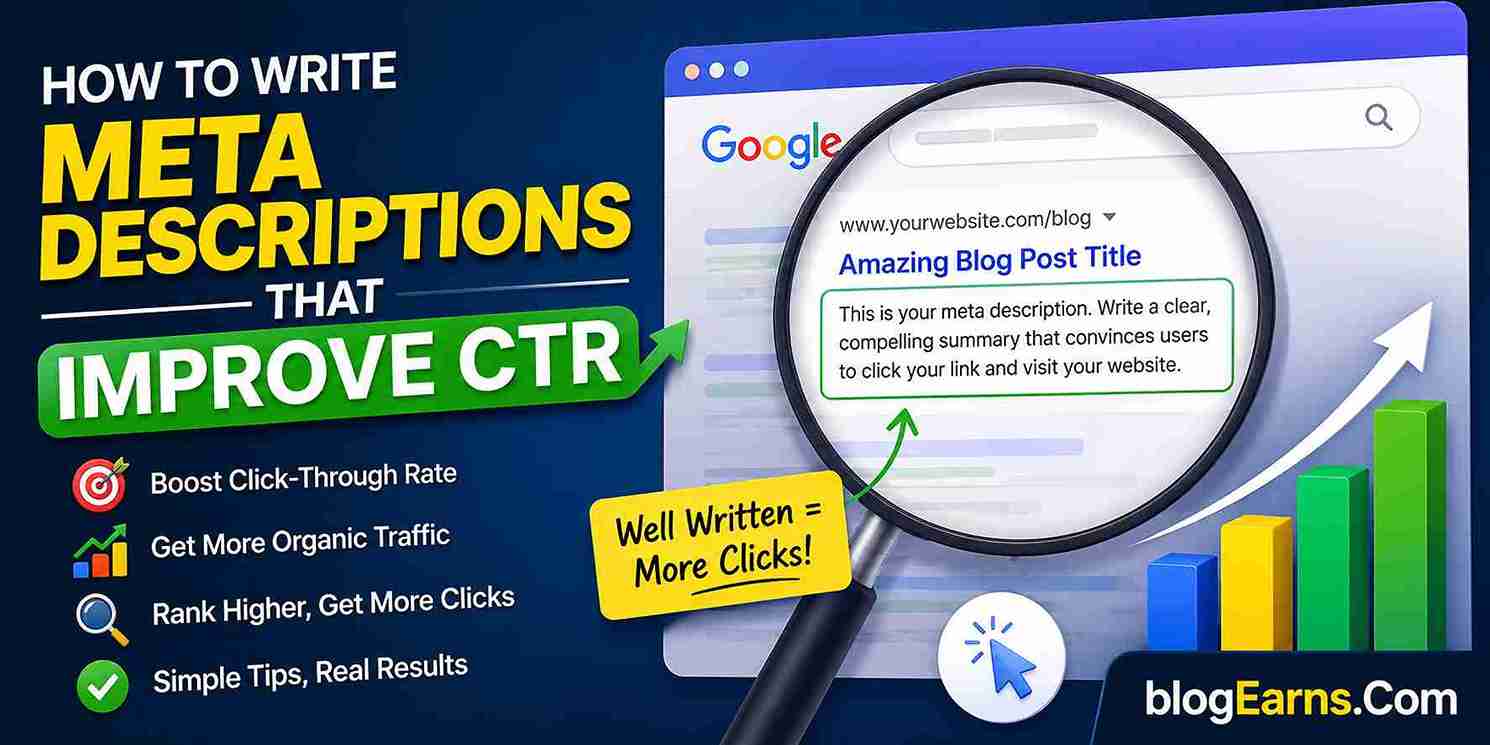
Think of a meta description as the advertisement for your webpage in Google Search. It appears below the page title and URL, giving searchers a quick preview of what they’ll find if they click your link.
For example, if someone searches for “best budget laptops”, they’ll likely see several similar results. A clear, helpful meta description can make your page stand out and convince them to click your result instead of a competitor’s.
Technical Explanation
A meta description is an HTML meta tag placed inside the <head> section of a webpage. It typically looks like this:
<meta name="description" content="Learn how to write compelling meta description that improve click-through rates and attract more organic traffic.">
Search engines may use this tag as the description shown in search results. However, Google doesn’t always display the exact text you provide. If it believes another section of your page better matches a user’s search query, it may generate a different snippet.
Practical Example
Page Title:
How to Write Meta Description That Improve CTR
Meta Description:
Learn how to write SEO-friendly meta description that attract more clicks, improve CTR, and help your pages stand out in Google Search with proven examples and tips.
This description clearly explains the page’s value, includes relevant keywords naturally, and gives users a reason to click.
Common Mistake:
Using the same generic meta description across multiple pages or leaving it blank. This makes it harder for search engines and users to understand what makes each page unique.
Best Practice:
Write a unique meta description for every important page. Focus on matching search intent, highlighting the page’s main benefit, and encouraging users to click without making misleading promises.
Quick Takeaway:
A meta description won’t directly boost your rankings, but it can significantly improve your CTR by giving searchers a compelling reason to visit your page.
Why Meta Description Matter for SEO and CTR
Meta description helps users decide whether to click your page in search results. Although they are not a direct Google ranking factor, a clear, relevant, and compelling meta description can improve your Click-Through Rate (CTR), bringing more visitors to your website and increasing the value of your existing search rankings.
Beginner Explanation
Think of a meta description as the advertisement for your webpage. When someone searches on Google, they usually see three things:
- The page title
- The URL
- The meta description
The title grabs attention, while the meta description explains what users can expect after clicking. If your description clearly answers their question or highlights a valuable benefit, they’re more likely to choose your page over others.
For example, imagine two pages ranking side by side for the same keyword:
Page A:
“Learn about meta description and SEO.”
Page B:
“Discover how to write compelling meta description that increase CTR, attract more clicks, and improve your SEO results with practical examples.”
Most users would naturally be more interested in the second option because it clearly communicates the value they’ll receive.
This is why writing effective meta description is less about pleasing search engines and more about persuading real people.
Technical Explanation
From a technical SEO perspective, the meta description is an HTML <meta> tag placed inside the <head> section of a webpage. It provides a concise summary of the page’s content and may be displayed by search engines as the descriptive snippet beneath the page title in search results.
Unlike title tags, meta description is not a direct ranking signal in Google’s search algorithm. However, they significantly influence user behavior. A higher Click-Through Rate (CTR) indicates that more users choose your result when it appears in search, helping you maximize the traffic generated by your existing rankings.
Google doesn’t always display the meta description you provide. If its systems determine that another section of your page better matches a user’s search query, Google may generate its own snippet. Even so, writing a unique, accurate, and intent-focused meta description increases the chances that your preferred text will be used and encourages users to click when it is displayed.
In short, while meta description doesn’t directly improve rankings, they improve the effectiveness of your rankings by making your search listing more relevant, informative, and appealing to potential visitors.
Do Meta Description Affect Google Rankings?
Meta description is not a direct Google ranking factor, which means they don’t directly determine where your page appears in search results. However, they can significantly influence your Click-Through Rate (CTR). A compelling meta description attracts more visitors, helping you maximize the value of your existing rankings and improve overall search performance.
Beginner Explanation
This is one of the most common SEO myths.
Many people believe that adding keywords to a meta description will automatically improve their Google rankings. In reality, Google has confirmed that meta description is not used as a direct ranking signal.
So, if two pages have similar content, simply writing a better meta description won’t move your page from position 8 to position 3.
However, that doesn’t mean meta description is unimportant.
Think of your meta description as an advertisement for your webpage. When someone searches on Google, they often compare several results before deciding which one to click. A clear, relevant, and persuasive description can convince users that your page is the best match for their search.
More clicks mean more visitors, and while CTR itself isn’t a guaranteed ranking factor, improving it helps you get more traffic from the rankings you’ve already earned.
Technical Explanation
Google’s ranking systems primarily evaluate factors such as content relevance, search intent satisfaction, page quality, backlinks, page experience, and numerous other signals. The <meta name="description"> HTML tag is not included among Google’s direct ranking signals.
Instead, the meta description serves as a candidate snippet that Google may display in the search results. If Google’s systems determine that another section of your page better matches the user’s query, they may rewrite or replace your supplied description with different text from the page.
From an SEO perspective, the real value of a meta description lies in improving search snippet quality. A well-crafted description can increase organic CTR by clearly communicating the page’s value, incorporating relevant keywords naturally, and encouraging users to click. While this doesn’t directly improve rankings, it can lead to more qualified traffic and better overall search visibility.
Key Takeaway: Meta description doesn’t directly improve rankings, but they play an important role in attracting clicks. Think of them as a conversion tool for search results rather than a ranking factor.
How Google Uses (and Rewrites) Meta Description
Google may display the meta description you write, but it doesn’t guarantee that your exact text will appear in search results. If Google’s systems determine that another section of your page better matches a user’s search query, it may generate a different snippet to provide more relevant information and improve the search experience.
Beginner Explanation
Think of your meta description as a recommendation rather than a fixed instruction for Google. When someone searches for a topic, Google tries to show the most helpful preview of your page. If your meta description accurately summarizes the content and closely matches the user’s search intent, Google is more likely to display it.
However, if your description is too generic, stuffed with keywords, outdated, or unrelated to the page’s content, Google may ignore it and instead pull a sentence or paragraph directly from the page. This rewritten snippet is chosen because Google’s systems believe it better answers the specific search query.
For example, if your meta description says:
“Learn everything about digital marketing.”
But a user searches for “email marketing tips for beginners,” Google may display a sentence from your article that specifically discusses beginner email marketing instead of your original description.
Technical Explanation
Google stores the content of the HTML <meta name="description"> tag as a potential search snippet, but it is only one of several sources available for generating search result descriptions. During indexing and retrieval, Google’s algorithms evaluate the search query, page content, headings, structured information, and other relevant text to determine which snippet is most useful for the individual search.
Because search intent varies from one query to another, Google may generate different snippets from the same page for different users and keywords. This dynamic approach helps improve relevance by highlighting the content most closely aligned with each search.
To increase the likelihood that Google uses your meta description:
- Write a unique description for every important page.
- Accurately summarize the page’s content.
- Include the primary topic naturally without keyword stuffing.
- Match the search intent your page is targeting.
- Keep descriptions clear, specific, and compelling.
Although you cannot force Google to display your meta description, following these best practices significantly improves the chances that your preferred snippet will be shown in search results.
Ideal Meta Description Length
The ideal meta description is typically between 150 and 160 characters (about 920 pixels on desktop), but there is no fixed limit enforced by Google. Instead of writing to a specific character count, focus on creating a clear, compelling description that accurately summarizes the page and encourages users to click.
Beginner Explanation
Many people believe there’s a strict character limit for meta description, but that’s a common misconception. Google doesn’t set an official maximum length. Instead, search results display as much of your description as fits within the available space. If it’s too long, Google may truncate it with an ellipsis (…).
As a general rule, aim for 150 to 160 characters. This length is usually enough to explain what the page offers while remaining fully visible on most desktop search results. On mobile devices, the displayed length can vary depending on screen size and Google’s layout.
Rather than trying to use every available character, focus on writing a description that clearly communicates the page’s value. A concise and persuasive message often performs better than a longer description filled with unnecessary words.
Technical Explanation
Meta description are stored in the HTML <meta name="description"> tag, but Google does not guarantee that the provided text will appear exactly as written. The search engine evaluates whether your description matches the user’s query and may replace it with text extracted from the page if it believes another snippet is more relevant.
Google also measures snippet display using pixel width, not just character count. Since wider characters like “W” occupy more space than narrower characters like “i”, two descriptions with the same number of characters may display differently in search results.
For best results:
- Target 150 to 160 characters as a practical guideline.
- Place the most important information near the beginning.
- Include the primary keyword naturally.
- Write for humans first, not search engines.
- Ensure the description accurately reflects the page content to reduce the likelihood of Google rewriting it.
Elements of a High-CTR Meta Description
A high-performing meta description does more than summarize a webpage. It convinces searchers that your result is the most relevant answer to their query. By combining clear language, user intent, persuasive copy, and a compelling call to action, you can significantly improve your click-through rate (CTR) and attract more qualified visitors.
Below are the essential elements every effective meta description should include.
1. Match the User’s Search Intent
The first rule of writing a great meta description is understanding what the searcher wants. Your description should immediately reassure readers that your page answers their question or solves their problem.
For example, if someone searches for “how to write meta description,” they expect practical advice, not a general explanation of SEO.
Good Example:
Learn how to write compelling meta description that increase CTR with proven tips, examples, and best practices.
Poor Example:
We discuss various SEO topics and digital marketing strategies.
Common Mistake: Writing descriptions based on what you want to say instead of what users want to know.
Best Practice: Focus on the searcher’s goal before writing a single word.
2. Include the Primary Keyword Naturally
Including your primary keyword helps reassure users that your page matches their search. Google may also bold matching terms in the search results, making your listing more noticeable.
Avoid forcing keywords into every sentence. Natural language always performs better than keyword stuffing.
Good Example:
Discover how to write meta description that improve CTR and attract more organic traffic.
Poor Example:
Meta description, SEO meta description, best meta description, meta description tips.
Pro Tip: Use the keyword once naturally and prioritize readability.
3. Clearly Communicate the Value
Tell readers exactly what they’ll gain by clicking your page. Instead of describing the topic, highlight the benefit.
Ask yourself:
- Will they learn a new skill?
- Solve a problem?
- Save time?
- Avoid common mistakes?
Example:
Learn proven techniques to write meta description that increase clicks without using clickbait.
The benefit is clear and encourages action.
4. Use Action-Oriented Language
Strong verbs encourage readers to take the next step. Instead of sounding passive, invite users to explore your content.
Examples of effective action words include:
- Learn
- Discover
- Find
- Improve
- Increase
- Compare
- Explore
- Master
- Download
- Start
Before:
Information about writing meta description.
After:
Learn how to write meta description that attract more clicks and improve your SEO performance.
5. Create Curiosity Without Misleading Readers
A little curiosity can increase clicks, but avoid exaggerated promises or misleading claims.
Good Example:
Discover the simple mistakes that reduce your CTR and learn how to fix them.
Poor Example:
This one secret will instantly rank your website #1!
Misleading descriptions may earn a click, but they often increase bounce rates and reduce user trust.
Warning: Never promise something your page doesn’t deliver.
6. Keep It Clear and Concise
Most search snippets display roughly 150 to 160 characters on desktop, though the exact length varies depending on the device and search query.
Rather than writing to a strict character limit, focus on delivering your key message early.
Good Example:
Learn how to write SEO-friendly meta description that improve CTR with actionable tips, templates, and examples.
Long, complicated sentences are harder to scan and may be truncated in search results.
7. Include a Subtle Call to Action (CTA)
A gentle call to action can encourage more clicks without sounding overly promotional.
Examples include:
- Learn more
- Discover how
- Get started
- See examples
- Read the guide
- Find out why
Example:
Discover proven strategies to write better meta description and improve your organic CTR.
The CTA feels natural while encouraging users to continue reading.
8. Make Every Meta Description Unique
Each page on your website serves a different purpose, so each should have its own unique meta description.
Using duplicate descriptions makes it harder for search engines and users to understand the value of individual pages.
For example:
| Page | Better Meta Description Focus |
|---|---|
| Homepage | Brand value and primary services |
| Blog Post | Key topic and reader benefit |
| Product Page | Features, benefits, and purchasing intent |
| Service Page | Problem solved and service offered |
| Category Page | Products or topics available |
9. Reflect Your Brand Voice
Your meta description should sound like the rest of your website. Whether your brand is professional, educational, or friendly, consistency helps build recognition and trust.
For example:
Professional:
Learn practical SEO strategies backed by industry best practices.
Friendly:
Ready to get more clicks? Discover simple tips that anyone can use to write better meta description.
Choose a tone that matches your audience while remaining clear and credible.
Meta Description Templates
A good meta description follows a simple structure: target keyword + main benefit + unique value + call to action. Use these templates as a starting point and customize them for each page.
| Page Type | Meta Description Template |
|---|---|
| Blog Post | Learn [topic] with this step-by-step guide. Discover [benefit], avoid common mistakes, and get practical tips. |
| Product Page | Buy [product name] with [key feature]. Enjoy [benefit], competitive pricing, and fast delivery. Shop now. |
| Service Page | Need [service]? We provide [main benefit] with trusted expertise and reliable support. Get your free quote today. |
| Homepage | Discover [brand name] for [products/services]. Find quality solutions, expert advice, and exceptional customer service. |
| Category Page | Browse our collection of [category] featuring top-quality options for every need and budget. Explore now. |
| Local Business | Looking for [service] in [location]? Contact our experienced team for reliable, professional, and affordable solutions. |
Pro Tip: Focus on the user’s benefit rather than simply describing the page. A clear value proposition encourages more clicks.
Quick Formula
Primary Keyword + Benefit + Supporting Detail + Call to Action
Example:
Learn how to write meta descriptions that improve CTR with proven tips, real examples, and actionable templates. Start optimizing your pages today.
Examples: Good vs Poor Meta Description
A strong meta description clearly communicates the page’s value, matches the user’s search intent, and encourages clicks. In contrast, a poor meta description is often vague, keyword-stuffed, too generic, or fails to explain why someone should visit the page.
| Page Topic | ❌ Poor Meta Description | ✅ Good Meta Description |
|---|---|---|
| Blog Post | Learn about meta description here. Click to know more. | Learn how to write meta description that improve CTR with proven tips, examples, and best practices for better search performance. |
| Product Page | Buy running shoes online. | Shop lightweight running shoes with breathable comfort, durable soles, and fast shipping. Find the perfect pair for every run. |
| Service Page | We offer SEO services. Contact us. | Grow your website traffic with expert SEO services, including keyword research, on-page optimization, and technical audits. Get a free consultation today. |
| Recipe Page | Best chocolate cake recipe available. | Bake a rich, moist chocolate cake with this easy step-by-step recipe, complete with baking tips and ingredient substitutions. |
Common Mistakes
- Writing descriptions that are too vague or generic.
- Stuffing multiple keywords unnaturally.
- Using the same meta description across different pages.
- Making promises the page doesn’t fulfill.
- Exceeding the recommended length, causing text to be truncated.
Pro Tip: Focus on the benefit readers will get instead of simply describing the page. A clear value proposition combined with a natural call to action often results in a higher click-through rate.
Key Takeaway: Every meta description should be unique, relevant, and persuasive. Tell users exactly what they’ll find on the page and give them a compelling reason to click.
Meta Description for Different Page Types
Different pages serve different purposes, so your meta description should be tailored to match the user’s intent. A description that works well for a blog post may not be effective for a product or service page. Below are the best practices for writing meta description for various page types.
Blog Posts
For blog posts, focus on the main benefit readers will gain. Use the target keyword naturally, create curiosity, and encourage users to click by promising a solution or valuable insight.
Example:
Learn how to write meta description that improve CTR with proven tips, examples, and best practices to attract more clicks from Google search.
Best Practice: Highlight the problem your article solves and include a clear value proposition.
Product Pages
Product page meta description should emphasize the product’s key features, benefits, pricing (if relevant), and any unique selling points such as free shipping or discounts.
Example:
Buy premium wireless earbuds with noise cancellation, 30-hour battery life, and free shipping. Shop today at the best price.
Best Practice: Focus on what makes the product stand out and encourage immediate action.
Category Pages
Category pages should summarize the product collection while including important keywords that users are likely to search for.
Example:
Explore our collection of men’s running shoes from top brands. Find lightweight, durable, and comfortable options for every runner.
Best Practice: Mention the variety of products and help users understand what they’ll find.
Homepages
Your homepage meta description should clearly explain what your website offers and why visitors should choose your brand.
Example:
BlogEarns helps bloggers, marketers, and business owners master SEO, blogging, WordPress, and digital marketing with practical guides and expert tips.
Best Practice: Communicate your brand’s purpose, expertise, and unique value in one concise statement.
Service Pages
Service page meta description should highlight the service, target audience, location (if applicable), and the primary benefit of choosing your business.
Example:
Professional SEO services to improve your website rankings, increase organic traffic, and grow your business with proven strategies.
Best Practice: Include trust-building language and a strong benefit instead of simply listing services.
Landing Pages
Landing pages are designed for conversions, so your meta description should focus on the offer and include a compelling call to action.
Example:
Download our free SEO checklist and learn how to optimize your website, improve rankings, and increase organic traffic. Get your copy today.
Best Practice: Keep the message clear, benefit-driven, and action-oriented to encourage more clicks.
Quick Summary: Match your meta description to the page’s purpose. Informative pages should educate, product pages should sell, service pages should build trust, and landing pages should drive conversions.
Common Mistakes to Avoid
Avoiding common meta description mistakes can significantly improve your click-through rate (CTR). A clear, relevant, and compelling description encourages more users to visit your page.
| Mistake | Why It’s a Problem | Best Practice |
|---|---|---|
| Keyword stuffing | Makes the description look spammy and difficult to read. | Use your primary keyword naturally within a human-friendly sentence. |
| Exceeding the recommended length | Google may truncate long descriptions, hiding important information. | Keep your meta description between 150–160 characters (or around 920 pixels) whenever possible. |
| Using duplicate descriptions | Repeating the same description across multiple pages confuses search engines and users. | Write a unique meta description for every important page. |
| Not matching search intent | Users may skip your result if the description doesn’t answer what they’re searching for. | Focus on the user’s needs and clearly explain what they’ll gain. |
| Writing vague or generic text | Generic descriptions fail to stand out among competing search results. | Highlight specific benefits, features, or solutions. |
| Ignoring a call to action (CTA) | Users may have no reason to click your result. | Include natural CTAs such as Learn more, Discover, Get started, or Find out how. |
| Making misleading promises | Clickbait may increase clicks temporarily but often leads to higher bounce rates and lower trust. | Ensure the description accurately reflects the page content. |
| Leaving the meta description blank | Google will generate its own snippet, which may not effectively promote your page. | Always write a custom meta description for important pages. |
Quick Tip: Before publishing, ask yourself: Would this description convince me to click instead of the results above and below it? If the answer is yes, you’re on the right track.
Best Tools for Writing Meta Description
The right tools can help you write clear, keyword-focused, and compelling meta description faster. While AI tools can generate ideas, always review and edit the final version to match your page’s search intent and audience.
| Tool | Best For | Key Features |
|---|---|---|
| ChatGPT | AI-assisted writing | Generates multiple meta description ideas, improves readability, and suggests persuasive copy. |
| Yoast SEO | WordPress users | Let’s you add and preview meta description while checking SEO recommendations. |
| Rank Math | WordPress SEO | Includes snippet preview, character count, and AI-powered content suggestions (Pro version). |
| Google Search Console | Performance analysis | Helps identify pages with low CTR so you can improve their meta description. |
| Ahrefs | SEO research | Analyze competitors’ pages and discover keywords that can inspire better descriptions. |
| Semrush | Content optimization | Offers keyword research, competitor insights, and SEO writing recommendations. |
Pro Tip
Use AI to create a first draft, but don’t publish it without editing. A human touch ensures your meta description accurately reflects the page, speaks to your target audience, and encourages more clicks.
Key Takeaway: The best tool is the one that combines SEO insights with your own understanding of user intent. AI can speed up the writing process, but thoughtful editing is what improves CTR.
How to Test and Improve CTR
A high-ranking page doesn’t always get the most clicks. Regularly testing and refining your meta description can help improve your Click-Through Rate (CTR) and attract more qualified visitors.
Steps to Improve CTR
- Monitor Performance in Google Search Console
- Check the Performance report.
- Compare impressions, clicks, CTR, and average position for your pages.
- Prioritize pages with high impressions but low CTR.
- Rewrite Weak Meta Description
- Highlight the main benefit of the page.
- Include your target keyword naturally.
- Add a clear call to action when appropriate.
- Make the description unique and relevant.
- Match Search Intent
Ensure your meta description answers what users are actually searching for. A mismatch between the search query and your snippet often leads to fewer clicks. - Test Different Copy Styles
Experiment with different approaches, such as:- Asking a question
- Highlighting a key benefit
- Using numbers or statistics
- Creating curiosity (without using clickbait)
- Measure Results
After updating a meta description, monitor its performance for a few weeks. If CTR improves while rankings remain stable, the changes are likely working.
Pro Tip: Focus on improving pages that already rank on the first page of Google. Even a small increase in CTR on these pages can lead to a noticeable boost in organic traffic.
Future of Meta Description in AI Search
As AI-powered search experiences continue to evolve, meta description remains an important part of on-page SEO, even though they may not always be displayed exactly as written. Search engines increasingly use AI to generate summaries based on a page’s content, search intent, and the user’s query.
This means your meta description should accurately reflect the page rather than relying on keyword stuffing or clickbait. A clear, relevant, and compelling description helps both traditional search results and AI systems better understand your content.
Best Practices for AI Search
- Write unique, user-focused meta description for every important page.
- Match the description to the page’s actual content and search intent.
- Naturally include your primary keyword where it fits.
- Highlight the main benefit or value readers will receive.
- Avoid misleading claims that AI or search engines may ignore or rewrite.
- Keep your page content well-structured so AI can generate accurate summaries if needed.
Expert Insight: Think of your meta description as a concise summary of your page rather than just an advertisement. The more accurately it represents your content, the more likely it is to attract qualified clicks, whether Google shows your original description or generates its own snippet.
Key Takeaway: AI is changing how search snippets are displayed, but the goal remains the same: write clear, honest, and compelling meta description that encourage users to click while accurately representing your content.
Frequently Asked Questions (FAQs)
| 1. What is a meta description? |
|---|
| A meta description is a short HTML snippet that summarizes a webpage. It often appears below the page title in Google search results and helps users decide whether to click your page. |
| 2. Do meta description affect Google rankings? |
| No. Meta description are not a direct ranking factor. However, a compelling description can improve your Click-Through Rate (CTR), which may positively influence your overall SEO performance. |
| 3. What is the ideal length of a meta description? |
| Aim for 140 to 160 characters (about 920 pixels). This helps reduce the chances of your description being truncated in search results. |
| 4. Should every page have a unique meta description? |
| Yes. Every important page should have a unique meta description that accurately reflects its content and targets the user’s search intent. |
| 5. Why does Google rewrite my meta description? |
| Google may replace your meta description if it believes another section of your page better matches the user’s search query. |
| 6. How can I improve my meta description’s CTR? |
| Use your primary keyword naturally, highlight the main benefit, create curiosity, include a clear call to action, and match the user’s search intent. |
| 7. Should I include keywords in the meta description? |
| Yes, but naturally. Relevant keywords may appear in bold in search results, making your listing more noticeable to users. |
| 8. Can I use AI to write meta description? |
| Yes. AI can generate strong first drafts, but you should always review and edit them to ensure accuracy, uniqueness, and a human tone. |
| 9. What happens if I don’t write a meta description? |
| Google may automatically generate one from your page content. While this can work, writing your own description gives you greater control over how your page appears. |
| 10. Can duplicate meta description hurt SEO? |
| Duplicate meta description can confuse search engines and users. While they may not trigger a penalty, unique descriptions provide a better user experience and improve optimization. |
| 11. Should I add a call to action in my meta description? |
| Yes. Phrases like “Learn more,” “Discover,” “Get started,” or “Read our guide” can encourage users to click when used naturally. |
| 12. Are meta description important for blog posts? |
| Absolutely. A strong meta description helps blog posts stand out in search results and can significantly increase organic traffic. |
| 13. How do I write a meta description for an eCommerce product page? |
| Highlight the product’s key features, benefits, pricing (if appropriate), unique selling points, and include a compelling reason to click. |
| 14. Which tools can help me optimize meta description? |
| Popular options include Yoast SEO, Rank Math, All in One SEO, Google Search Console, Semrush, Ahrefs, and Screaming Frog SEO Spider. |
| 15. How often should I update my meta description? |
| Review them periodically, especially if your CTR drops, search intent changes, or you update the page’s content. Refreshing underperforming descriptions can improve click-through rates. |
| 16. Can emojis be used in meta description? |
| Although some search engines may display emojis, they are not always supported. Use them sparingly and only if they fit your audience and brand. |
| 17. What is the biggest mistake people make when writing meta description? |
| The most common mistakes are keyword stuffing, writing vague summaries, using duplicate descriptions, exceeding the recommended length, and failing to address user intent. |
| 18. How can I measure whether my meta description is working? |
| Use Google Search Console to monitor impressions, clicks, CTR, and average position. Compare performance before and after updating your meta description to evaluate improvements. |
Conclusion
Writing an effective meta description is one of the simplest yet most impactful ways to improve your website’s organic Click-Through Rate (CTR). While meta descriptions don’t directly influence Google’s rankings, they play a crucial role in convincing users to choose your page over competing search results. A clear, compelling, and relevant description can turn impressions into clicks and help you get more value from the rankings you’ve already earned.
As you’ve learned in this guide, a great meta description isn’t just about staying within the recommended character limit. It should match search intent, communicate your page’s value, include relevant keywords naturally, and encourage users to take action. Just as importantly, every important page on your website should have a unique description that accurately reflects its content.
Remember that SEO is an ongoing process. Regularly review your pages in Google Search Console, monitor their CTR, and update underperforming meta descriptions based on user behavior and changing search trends. Even small improvements can lead to noticeable increases in organic traffic over time.
If you’re serious about growing your website, don’t overlook this small but powerful SEO element. Start by optimizing your highest-traffic pages first, test different approaches, and continue refining your copy as you gather data.
For more practical SEO guides, WordPress tutorials, and digital marketing tips, explore the latest resources on BlogEarns and keep building a website that both search engines and users love.