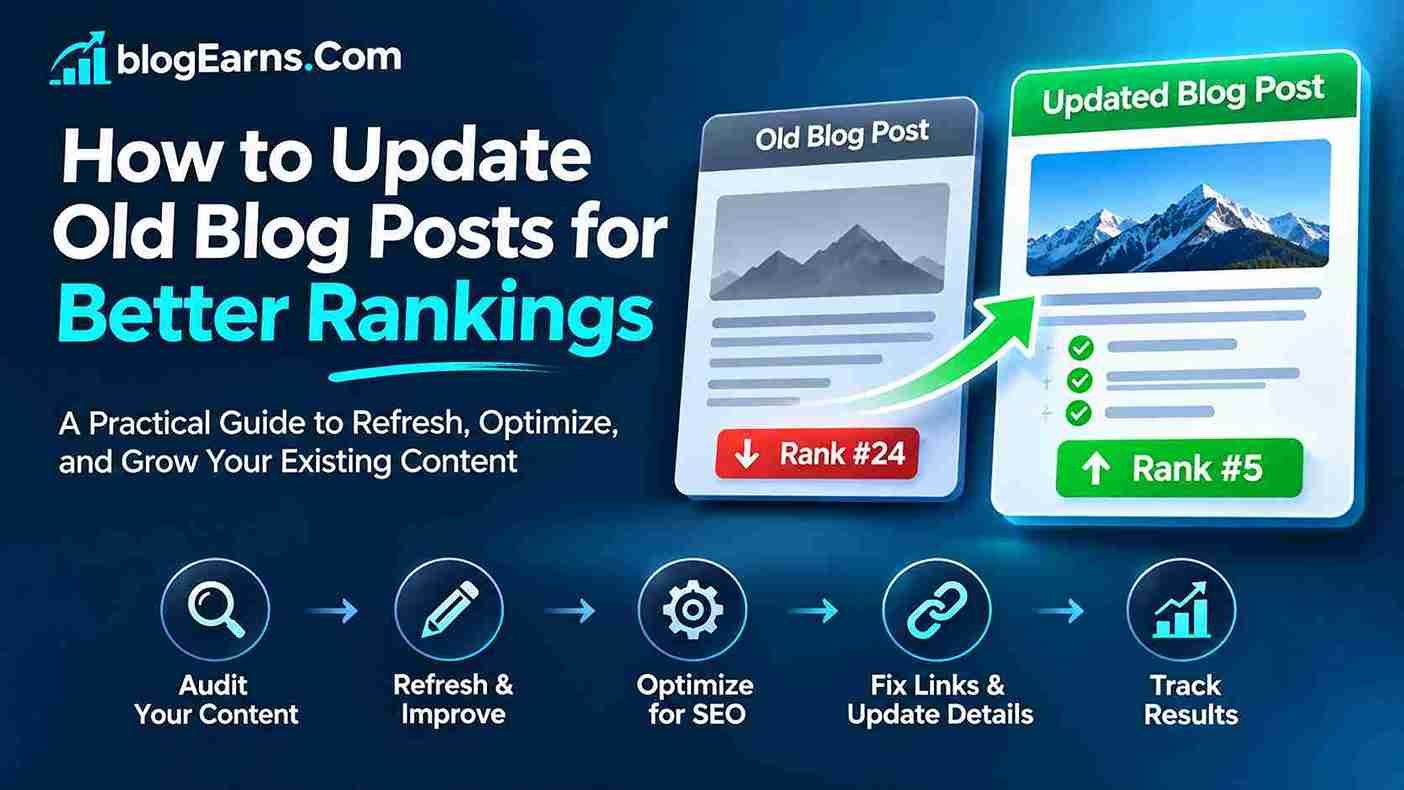
How to Update Old Blog Posts for Better Rankings
Your older blog posts may be holding more potential than you realize.
An article you published two or three years ago might already have earned backlinks, appeared in Google search results, attracted visitors, and established relevance for a particular topic. Yet, over time, its information may become outdated, competitors may publish more useful resources, or the search intent behind its target keyword may change.
That doesn’t necessarily mean you need to start from scratch.
Updating existing content can be a practical way to improve your website’s usefulness while making better use of the work you’ve already invested in. Instead of constantly chasing new topics, you can identify articles that have lost relevance, understand why they are underperforming, and make carefully chosen improvements.
However, a successful content refresh involves much more than changing the publication date or adding a few paragraphs. It requires reviewing search intent, checking accuracy, improving the article’s structure, strengthening internal links, and ensuring that the page still answers the reader’s question.
In this guide, you’ll learn how to update old blog posts for better rankings, identify the right articles to refresh, avoid common SEO mistakes, and measure whether your changes are making a difference.
Why Updating Old Blog Posts Matters for SEO
Publishing a new article is not always the best use of your editorial time. Sometimes, the page that deserves attention is already sitting in your WordPress dashboard, waiting for a meaningful refresh.
There are several reasons an older article may need attention.
Changing search intent
Search intent describes what someone expects to accomplish when they enter a query.
Suppose you published an article targeting “best free keyword research tools” in 2023. At that time, readers may have been satisfied with a simple list of tools and their features.
Today, they may expect current pricing, free-plan limitations, actual screenshots, and a comparison of which tool works best for beginners.
The keyword hasn’t necessarily changed, but the expectations surrounding it may have.
Outdated information
Old articles can contain information that is no longer accurate. Software interfaces change, products disappear, prices increase, and recommended tools introduce new features.
A tutorial showing an outdated dashboard can frustrate readers even if the written instructions were once correct.
Declining organic traffic
An article may gradually lose search visibility because competing pages offer better explanations, the topic has changed, or the page no longer satisfies the query as effectively as it once did.
This decline is often called content decay.
However, declining traffic does not automatically mean the article needs a rewrite. First, determine whether the decline is specific to the page, caused by seasonal demand, or part of a wider change in search visibility.
Better user experience
A refresh can improve readability, navigation, mobile usability, image quality, and the clarity of instructions.
These improvements make the page more useful to visitors, regardless of whether its rankings change.
Existing backlinks and historical value
An older article may have earned links from other websites or accumulated useful search visibility.
A carefully planned update can preserve that value while improving the content. Replacing the article with an unrelated page or changing its URL unnecessarily may create avoidable problems.
Does content freshness automatically improve rankings?
No.
Google’s freshness systems are designed to recognize when newer information is particularly relevant to a query. A search for current software pricing may benefit from recent information, while a timeless explanation of basic HTML may not need frequent updates.
Google also advises against changing dates or adding content simply to make a page appear fresh. The goal should be a meaningful improvement for readers, not superficial activity.
How to Identify Blog Posts That Need Updating
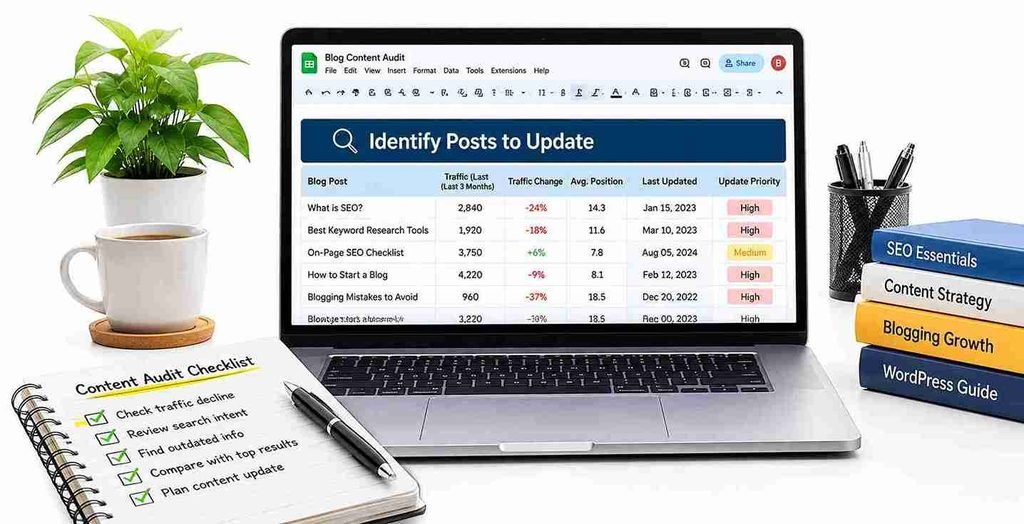
Before editing anything, build a list of existing articles and look for opportunities where a refresh is likely to make a difference.
Articles losing organic traffic
Open Google Search Console and navigate to the Performance report.
Select the Pages tab and compare a recent period with an earlier period of similar length. For example, compare the last three months with the preceding three months.
Look for pages that have experienced a sustained decline in clicks or impressions.
Don’t rely on a single week of data. Traffic can fluctuate because of seasonality, holidays, search demand, and changes in the search results.
Pages ranking on the second or third page
Articles ranking around positions 11–30 can be worth investigating.
They already have some visibility, which suggests Google has found them relevant to at least some queries. However, they may need better coverage, clearer explanations, stronger intent alignment, or a more useful format.
Treat rankings as an opportunity signal, not a guarantee. A page ranking at position 25 for an irrelevant keyword may be less valuable than a page ranking at position 8 for a highly relevant query.
Posts receiving impressions but few clicks
If an article receives impressions but has a low click-through rate, inspect the queries generating those impressions.
Ask yourself:
- Does the SEO title clearly answer the searcher’s question?
- Does the title accurately describe the content?
- Is the article appearing for the right search terms?
- Are competing pages offering a more attractive or relevant result?
- Does the page deserve a more specific title?
A title change may help improve clicks, but it won’t fix a page that ranks for the wrong search intent.
Articles containing outdated information
Review older posts about:
- Software and online tools
- Hosting services and pricing
- WordPress plugins and themes
- SEO recommendations
- Social media features
- Product comparisons
- Tutorials with screenshots
- Statistics and research
Prioritize information that could cause a reader to make a wrong decision.
Pages with weak user experience
Look for articles with confusing layouts, excessive advertisements, broken images, difficult navigation, or paragraphs that are unnecessarily long.
A page can contain accurate information and still be difficult to use.
Articles with weak internal linking
Older posts often become disconnected as a website grows.
A new article may discuss a topic in depth without linking to the older guide that explains the fundamentals. Similarly, an older post may never link to newer resources that expand on its advice.
A content refresh is a good opportunity to reconnect these pages.
How to Audit an Old Blog Post Before Updating It
A proper audit helps you understand what should change and what should remain untouched.
Start by recording the article’s current performance. Then review the content itself.
| Audit area | What to examine |
|---|---|
| Search intent | Does the article answer the query people are searching for? |
| Search performance | Are clicks, impressions, CTR, or rankings changing? |
| Search queries | Which terms actually bring visitors to the page? |
| Backlinks | Has the article earned links worth preserving? |
| Internal links | Is it connected to relevant pages on your site? |
| Accuracy | Are the facts, instructions, and recommendations still correct? |
| Competitors | Are other pages answering important questions better? |
| User experience | Is the page easy to read and navigate? |
| Conversions | Does the article help readers take the intended next step? |
Use Google Search Console
Google Search Console’s Performance report provides clicks, impressions, click-through rate, and average position. You can review these metrics by page or query and compare different date ranges. Search Console Help+1
For a specific article:
- Open the Performance report.
- Choose a suitable date range.
- Select the Pages tab.
- Filter for the article’s URL.
- Review its clicks, impressions, CTR, and average position.
- Select the Queries tab to understand which searches bring visibility.
- Compare the results with an earlier period.
Look for changes in the queries themselves. Sometimes a page loses traffic because it no longer ranks for its most valuable keyword. In other cases, it may continue ranking but receive fewer clicks because the search results have changed.
Use Google Analytics 4
Google Analytics 4 can help you understand what happens after visitors arrive.
Review the article’s organic landing-page traffic, engagement, and conversions where relevant.
For example, an article may receive fewer visits but generate more newsletter subscriptions because the updated content attracts a more relevant audience.
That is why traffic should not be the only measure of success.
Back up the original article
Before making substantial changes, save a copy of the original content.
This gives you a reference point and makes it easier to restore useful sections if the update goes in the wrong direction.
WordPress revisions can also help you review or restore earlier versions, depending on your site’s configuration.
Step-by-Step Process to Update Old Blog Posts for Better Rankings
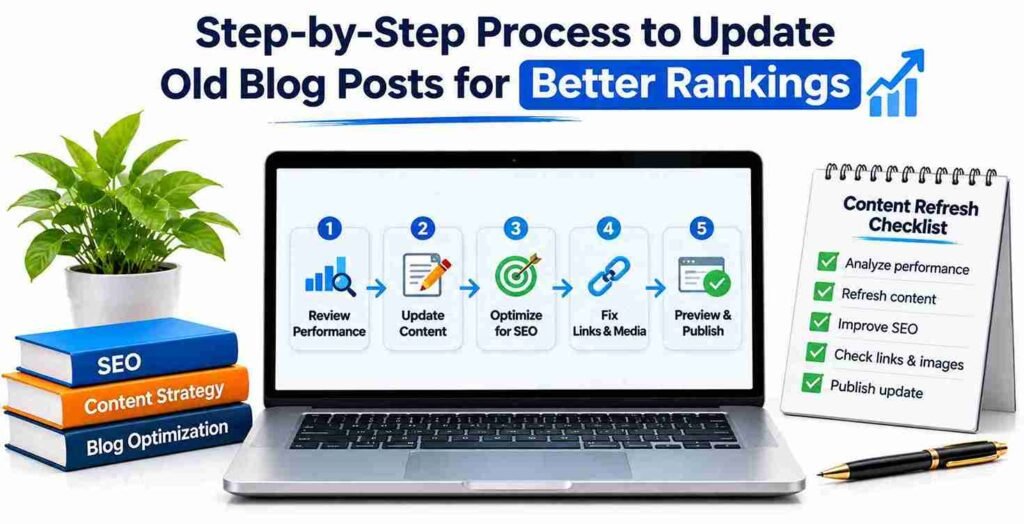
This is the core of a successful content refresh. Follow the steps in order rather than editing randomly.
Step 1: Review the original search intent
Begin with the keyword the article was originally targeting.
Search for it in Google and examine the current results. Look at the types of pages appearing on the first page.
Are they beginner guides, detailed tutorials, product comparisons, videos, or troubleshooting articles?
The format of the results can reveal what searchers expect.
For example, someone searching “how to speed up WordPress” probably wants practical instructions, not a lengthy discussion of website performance theory.
If your article doesn’t match the current intent, improving individual paragraphs won’t solve the main problem.
Step 2: Analyze current search results
Review a few relevant competing pages.
Look for:
- Topics consistently covered
- Questions answered
- Useful examples
- Content formats
- Recent changes
- Missing explanations
- Opportunities to provide a better experience
Don’t copy competitors’ headings or reproduce their content.
Instead, identify what readers need and determine how your article can answer those needs more clearly.
A competitor may explain a process in five steps. You might discover that readers also need a troubleshooting section, a practical example, or a warning about a common mistake.
That is where your update can become genuinely valuable.
Step 3: Update outdated information
Go through the article section by section.
Check dates, statistics, software instructions, screenshots, pricing, product availability, and external references.
When discussing Google Search, WordPress, or a software product, prioritize official documentation where possible.
If an old recommendation is no longer appropriate, replace it with a verified alternative and explain the change when it affects the reader’s decision.
Never replace an outdated statistic with a newer number simply because it looks more current. Verify the source first.
Step 4: Improve content depth and accuracy
Look for explanations that are too vague, incomplete, or difficult to understand.
Consider this example:
Original:
“Use internal links to improve SEO.”
Improved:
“Link to related articles when they help readers understand the topic further. Use descriptive anchor text, place links naturally within the relevant section, and avoid linking to pages that have little connection to the subject.”
The second version provides practical guidance rather than simply mentioning a technique.
However, deeper content doesn’t always mean longer content. Remove unnecessary explanations and repeated paragraphs when they distract from the main answer.
Google’s guidance emphasizes useful, complete, people-first content rather than a preferred word count. Google for Developers+1
Step 5: Improve the introduction and conclusion
Your introduction should quickly explain what the article covers and why it matters.
Remove generic opening paragraphs that could appear in almost any blog post.
For example, an article about keyword research should quickly establish what readers will learn, whether they need paid tools, and how the process works.
The conclusion should reinforce the main practical lesson and suggest a relevant next step.
Step 6: Optimize the SEO title and meta description
Review the title displayed in search results.
A good title should:
- Clearly describe the page
- Match the search intent
- Include the main topic naturally
- Communicate a useful benefit
- Avoid exaggerated promises
For example:
Weak: SEO Tips for Bloggers
Better: Blog SEO Checklist: 15 Steps to Improve Your Content
The meta description should summarize the article accurately and give readers a reason to click.
Google may generate a different search snippet from the page’s content, so a meta description is not guaranteed to appear exactly as written. It can help communicate the page’s value, but it is not a direct ranking factor.
Step 7: Review the heading structure
Use headings to organize the article logically.
The H1 should describe the main topic. H2 headings should cover major sections, while H3 headings can explain supporting ideas.
Avoid adding headings simply to insert keywords.
A reader should be able to scan the headings and understand the article’s structure without feeling that every section repeats the same point.
Step 8: Add relevant internal links
Identify related articles that help readers continue learning.
For example, an article about updating old blog posts could link to:
- [What Is SEO?]
- [How to Do Keyword Research for a New Website]
- [Blog SEO Checklist]
- [How to Find and Fix Broken Links]
- [How to Improve Organic Traffic]
- [How to Write SEO-Friendly Blog Posts]
- [Why Is My Website Not Ranking on Google?]
Use descriptive anchor text that explains the destination.
Don’t link every keyword or add links where they interrupt the reader. A few highly relevant links are more useful than a crowded paragraph.
Step 9: Improve images, screenshots, and visuals
Replace screenshots that no longer match the current interface.
Add visuals when they explain something difficult to understand, such as a WordPress setting, an SEO workflow, or a comparison between two options.
Optimize image dimensions and file sizes so they don’t unnecessarily slow down the page.
Write descriptive alt text for meaningful images. If an image is purely decorative, avoid forcing keywords into its alt attribute.
Step 10: Improve readability and user experience
Review the article on both desktop and mobile.
Look for:
- Long paragraphs that need breaking up
- Unclear instructions
- Difficult terminology
- Excessive advertisements
- Poorly formatted tables
- Missing navigation
- Unnecessary pop-ups
- Images that are difficult to view on mobile
The goal is not to make every article look identical. It is to make each page easy to understand and use.
Step 11: Check technical SEO elements
Before publishing, verify that the page remains accessible to search engines.
Review:
- Indexability
- Canonical URL
- HTTP status code
- Broken internal and external links
- Redirects
- Mobile usability
- Structured data, where appropriate
- Core Web Vitals, where relevant
If you are updating the content without changing the URL, you usually don’t need to modify the canonical tag.
If you are merging articles or moving a page, plan the redirect carefully. Google explains that redirects help indicate when a URL has moved and which destination should be used. Google for Developers+1
Step 12: Publish and monitor the updated article
Preview the article before publishing.
Check the formatting, links, images, title, meta description, and mobile layout.
After publishing, inspect the URL in Google Search Console if you want to check its indexing status or request recrawling.
A request does not guarantee immediate indexing or ranking improvements.
Record the update date and the changes made. This will help you understand which improvements may have influenced the article’s performance later.
How to Update Old Blog Posts in WordPress
If your website runs on WordPress, updating an existing article is usually straightforward. The important part is preserving the original page while making the necessary improvements.
Follow this workflow:
- Open your WordPress dashboard and navigate to Posts → All Posts.
- Find the article you want to update.
- Open it in the editor and review the existing content.
- Make the necessary changes to text, headings, images, and links.
- Review the featured image and SEO plugin fields.
- Preview the article on desktop and mobile.
- Publish the changes after checking everything.
Preserve the original URL
If the existing URL is relevant and already indexed, keep it whenever possible.
For example, if your original article is:
blogearns.com/update-old-blog-posts/
There is generally no need to change it to:
blogearns.com/how-to-update-old-blog-posts-for-seo/
Changing a URL without a compelling reason can create unnecessary redirects and disrupt existing links.
If you genuinely need to move the page, use a relevant permanent redirect and update internal links pointing to the old URL.
Use WordPress revisions
WordPress can maintain revisions of posts, allowing you to compare earlier versions and restore previous content when needed.
This is especially useful when making substantial edits to an article that already performs well.
Update SEO plugin fields
If you use an SEO plugin, review the SEO title, meta description, canonical URL, and other relevant settings.
Don’t change technical fields just because you’re refreshing the content. Make changes only when they are necessary.
Should You Change the Publication Date When Updating an Old Blog Post?
This is one of the most common questions bloggers ask.
The answer depends on the extent of the update and your editorial policy.
There are three dates worth understanding:
| Date | Meaning |
|---|---|
| Published date | When the article originally appeared |
| Modified date | When the article was last substantially updated |
| Rewrite date | When the article underwent a major editorial revision |
If you correct a spelling mistake or fix a broken link, changing the visible publication date is usually unnecessary.
If you substantially revise the article, update outdated information, replace screenshots, and improve its usefulness, displaying an updated date can help readers understand that the content has been reviewed.
For example:
Published: January 12, 2023
Last updated: November 28, 2026
The dates should reflect what actually happened.
Google specifically advises against changing dates simply to make content appear fresh when it hasn’t been substantially updated. Google for Developers+1
How Much of an Old Blog Post Should You Update?
There is no universal percentage of content that must be changed.
A useful update could involve replacing one outdated section, while another article may require a complete rewrite.
Minor content refresh
Use this when the article is already accurate and useful.
Examples include:
- Correcting factual errors
- Fixing broken links
- Updating a screenshot
- Improving a confusing sentence
- Adding a relevant internal link
Moderate content update
Choose this when the article needs more substantial improvements.
You may need to update several sections, add missing information, improve headings, and address changes in search intent.
Complete content rewrite
A rewrite may be appropriate when the article is fundamentally outdated or poorly structured.
For example, a tutorial written for an old version of WordPress may need new instructions, screenshots, and a different explanation of the process.
Even during a rewrite, preserve useful information, relevant examples, and valuable sections from the original article.
Should You Update, Rewrite, Merge, or Delete Old Blog Posts?
Not every old article needs the same treatment.
Use this decision-making framework before making substantial changes.
| Situation | Recommended action |
|---|---|
| Article is useful but outdated | Update |
| Article is accurate but poorly structured | Rewrite or restructure |
| Two articles target the same intent | Consider merging |
| Article has no useful purpose and cannot be improved | Consider removing |
| Article has valuable backlinks but is no longer relevant | Evaluate carefully before redirecting |
| Article performs well and remains accurate | Leave largely unchanged |
When should you merge articles?
Suppose you have two posts:
- How to Improve Blog SEO
- SEO Tips for Bloggers
If both target almost identical search intent and provide overlapping information, a single stronger article may serve readers better.
However, don’t merge articles simply because they share a keyword.
If one explains on-page SEO and the other focuses on technical SEO, they may serve different purposes and deserve separate pages.
When should you delete an article?
Consider removal only after reviewing its usefulness, search visibility, backlinks, and relationship with other content.
A page receiving little traffic may still serve an important purpose for visitors or support another article.
If you remove a page, redirect it only to a genuinely relevant destination. Redirecting every deleted article to the homepage is not a meaningful replacement for the original content.
Google recommends treating deletion as a last resort when content cannot be salvaged.
Common Mistakes to Avoid When Updating Old Blog Posts
A content refresh can create problems if it is performed without a clear reason.
Changing the publication date without updating content
A new date does not make an article more useful.
Update the content first and reflect the actual revision date only when appropriate.
Adding keywords unnaturally
Don’t insert the primary keyword into every heading or paragraph.
Search engines can understand related language, and readers don’t benefit from repetitive phrasing.
Increasing word count without improving usefulness
Adding 1,000 words of generic advice does not automatically improve an article.
Remove unnecessary information and focus on answering the reader’s question more effectively.
Copying competitors
Competitor research should help you understand search intent and missing information.
Copying their structure, examples, or wording doesn’t create a meaningful reason for readers to choose your page.
Removing useful information
Sometimes bloggers remove older sections because they want a shorter article.
Before deleting anything, check whether the information still answers a relevant question or attracts search traffic.
Changing URLs unnecessarily
Keep the existing URL whenever it remains relevant.
If you change it, use a proper redirect and update your internal links.
Updating too many articles simultaneously
If you make substantial changes to dozens of pages at once, it becomes difficult to identify which changes influenced performance.
Start with a manageable group of articles and document your work.
Expecting immediate ranking improvements
Google may need time to recrawl and reassess a page. Search results also change because of competitors, demand, and algorithm updates.
A successful update is not guaranteed to produce higher rankings.
How to Measure the Results of a Content Update
After publishing, monitor the article’s performance rather than assuming the update worked.
Organic clicks
Clicks show how many people visited your page from Google Search.
Compare clicks before and after the update using similar time periods.
Impressions
Impressions show how often your page appeared in search results.
An increase in impressions may indicate that the article is appearing for more relevant searches or gaining visibility.
Average position
Review the article’s average position for important queries.
Remember that average position is an aggregate metric. It does not represent one fixed ranking for every searcher.
Click-through rate
CTR helps you understand how often people click after seeing your result.
If impressions increase but clicks remain low, review the title, search intent, and competing results.
Conversions
For a monetized blog, conversions may include:
- Affiliate clicks
- Newsletter subscriptions
- Product purchases
- Lead form submissions
- Ad revenue
A page that attracts fewer visitors but generates more valuable conversions may still be performing better.
A realistic example
Suppose an article previously received 500 monthly clicks and 8,000 impressions.
After a content refresh, its performance changes as follows:
Hypothetical example, not actual website data.
| Metric | Before | After |
|---|---|---|
| Monthly clicks | 500 | 650 |
| Impressions | 8,000 | 11,000 |
| CTR | 6.25% | 5.91% |
The article receives more clicks even though its CTR is slightly lower.
This illustrates why you should evaluate multiple metrics together rather than treating CTR or average position as the only measure of success.
Old Blog Post SEO Update Checklist
Use this checklist whenever you refresh an existing article.
Content Refresh Checklist
0/16Frequently Asked Questions
Does updating old blog posts improve SEO?
It can help when the update makes the article more accurate, useful, relevant, or better aligned with search intent.
However, updating a page does not guarantee higher rankings. The outcome depends on the quality of the changes and how the page performs relative to other search results.
How often should I update old blog posts?
There is no fixed schedule for every article.
Review rapidly changing topics more frequently, especially software, pricing, product comparisons, and industry developments.
For evergreen content, update it when you identify meaningful inaccuracies, missing information, or performance problems.
Should I update every old blog post on my website?
No.
Prioritize articles with meaningful traffic, impressions, backlinks, ranking opportunities, or outdated information.
An accurate article that already performs well may not need significant changes.
Does changing the publish date help rankings?
Changing the date alone is not a reliable SEO strategy.
Use an updated date when the article has undergone a meaningful revision, and make sure the displayed date accurately reflects the work.
How long does it take to see SEO results after updating a blog post?
Some changes may be reflected within days, while others can take weeks or months.
Google explains that meaningful improvements may take time to be recognized, and there is no guaranteed timeline for ranking changes.
Is it better to update an old article or publish a new one?
Update the existing article when it already serves the same search intent and has useful historical value.
Publish a new article when the topic or intent is genuinely different.
If two pages overlap substantially, consider whether a carefully planned consolidation would serve readers better.
Can updating an old blog post hurt rankings?
Yes.
Removing useful information, changing the search intent, deleting relevant sections, or changing the URL unnecessarily can negatively affect performance.
Make changes based on a clear editorial reason and preserve valuable content wherever possible.
Should I use AI to update old blog posts?
AI can help organize research, identify missing sections, improve readability, and suggest editorial changes.
However, it should not replace fact-checking or editorial judgment.
Verify information using reliable sources, add original insights, and ensure the finished article genuinely helps readers.
Conclusion
Updating old blog posts is one of the most practical ways to maintain the value of an established website.
Your older articles may already have useful search visibility, backlinks, and a foundation of relevant information. With careful editing, you can preserve those strengths while improving accuracy, search intent alignment, readability, and usefulness.
The best approach is not to update every article or change every publication date. Start with a small group of high-potential pages, analyze their performance, make meaningful improvements, and record what you changed.
Then monitor the results and use what you learn to refine your content refresh strategy.
For bloggers who want sustainable organic growth, maintaining existing content should be part of the editorial process, not an occasional cleanup task.